
From Tape Handling to Traceable Camera Files
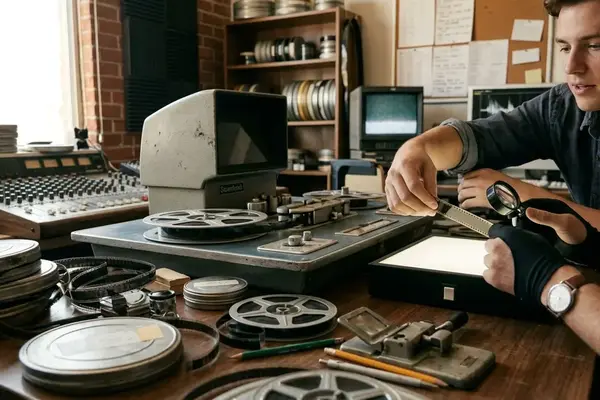
File-based cameras shifted assistant-editor preparation toward managing complete recording packages. Tape workflows organized access around physical carriers, playback equipment, timecode and capture. File-based workflows depend on camera folders, verified copies, metadata and the relationships connecting originals to editorial derivatives.
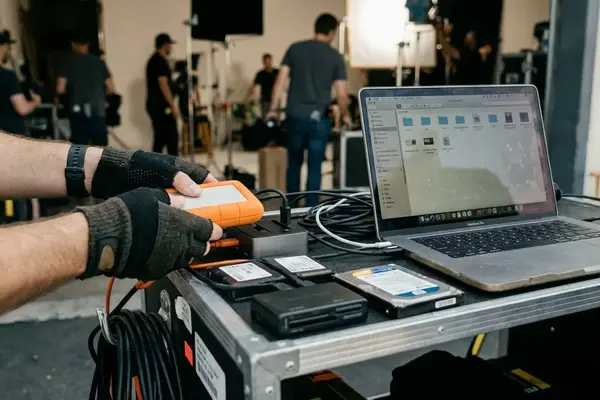
That shift changes what readiness means. Classroom projects commonly emphasize selection, pacing and sound-image relationships. Overnight preparation gives equal weight to readable sources, reproducible settings and clearly identified outputs. A camera card may contain sidecar metadata and directory relationships alongside its visible video files; the complete structure travels through the offload.
Overnight work is one possible assistant-editor assignment, so preparation should follow the facility’s assigned responsibilities. The practical sequence follows the media: establish the incoming material, verify its destination copy, prepare connected derivatives, check exchanges and leave a handoff another operator can use.
Turn Shift Instructions Into a Job Queue
A turnover requests camera copies and editorial proxies, while the named destination already contains a folder with the same card identifier. That conflict needs resolution before any overwrite proceeds. The instruction to copy establishes the task; explicit authorization governs destructive changes.
Read the turnover as a set of inputs, outputs and dependencies. Identify:
- Incoming card identifiers and source locations.
- Assigned destination paths and project or sequence versions.
- Proxy specifications, exchange requirements and deadlines.
- The designated contact for conflicting instructions or failed jobs.
Check that sources are present and readable, destinations are mounted and writable, and capacity covers copies, derivatives and temporary files. Account for editing, rendering and other transfers using the same storage. Schedule dependent transcodes after their source copies pass verification.
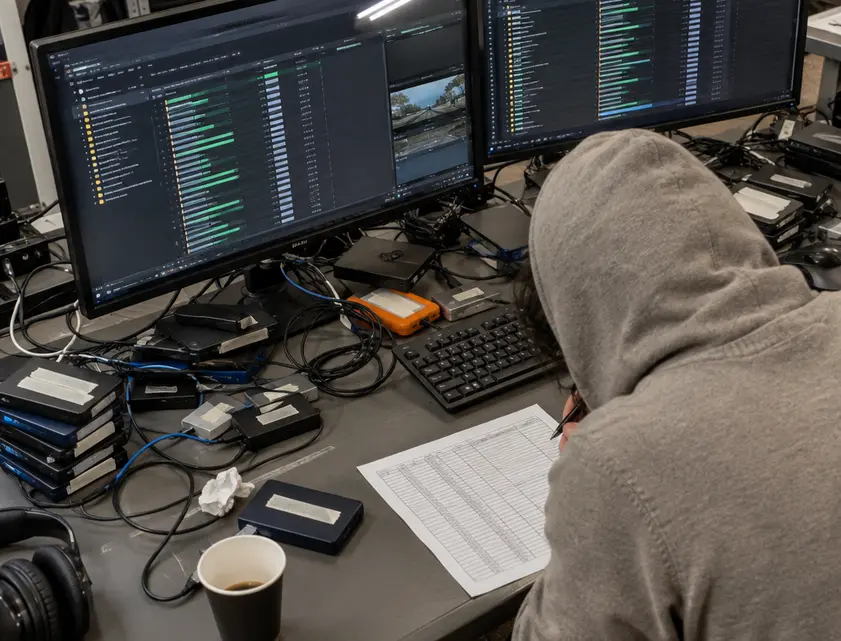
Source erasure, replacement of shared media, project-setting changes and overwriting existing files require explicit approval. Record conflicts with enough detail for the designated contact to decide what proceeds.
Separate Copy Completion From Verified Media
What does a finished progress bar establish? It reports completion of the copy operation. Verification adds a comparison of file contents, while playback addresses whether the recorded material opens and can be inspected.
A checksum is a value calculated from file contents. Matching source and destination checksums establish consistency between those contents. Playback checks address the recorded picture and sound, including faults already present in the source.
- Match the source identifier to the assigned destination.
- Preserve the complete camera folder structure, including sidecars.
- Run a copy utility configured for checksum verification and logging.
- Inspect the verification result and investigate reported exceptions.
- Record the source, destination, status and full report location.
Keep verification failures visible. Preserve source availability while checking affected files, read errors, destination state and the approved retry procedure. Source release follows the assigned retention procedure and explicit authorization, independently of the transfer display or a playable sample clip.
Build Proxies With a Tested Return Path
A usable proxy preserves the information needed to reconnect editorial decisions to the intended source. Camera originals retain the recording assets; editorial proxies reduce editing demands; finishing uses the designated originals or approved intermediates.
Confirm the requested codec and container separately. Then establish frame dimensions, frame-rate treatment, audio-channel mapping, naming, destination and viewing transform. Smaller pictures can retain the original frame-rate interpretation. Changing that interpretation can alter duration and the relationship between source frames and timeline positions.
Carry source timecode, clip identifiers and reel or tape metadata where the workflow uses them. Different cards can contain identically named clips, making filenames ambiguous on their own.
Run a representative test batch across the recording modes and audio configurations present. Attach those derivatives in the intended editing application, then compare source identity, duration, sync and channel mapping. Confirm whether the viewing treatment is baked into proxy pixels or applied during display; applying it twice changes the image. Release the remaining batch after the attachment test passes.
Prepare Exchanges From an Identified Working Copy
A relink search finds a clip with the expected filename but a different source-timecode range. Keep that candidate unresolved and record its identifiers, timecode and relevant reference frames. Accepting it would conceal the uncertainty inside an apparently online timeline.
Conform preparation supplies the relationships needed to reconstruct an editorial sequence against its intended media. Begin with the approved sequence version and turnover instructions. Preserve the received project or sequence, and label the working copy used for preparation.
Picture-oriented XML exchanges describe timeline information through a particular schema. AAF commonly carries audio edits, track structure and media references or embedded media. Check the receiving application’s supported contents, packaging and effect translation before export.
Compare sequence frame rate, source interpretation, source timecode, clip identity, timeline start and reference-picture alignment. Frame rate describes picture timing; drop-frame and non-drop-frame describe timecode numbering. Drop-frame numbering skips selected labels while retaining the picture frames.
Give retimes, nests, multicamera selections and application-specific effects deliberate translation checks. For audio turnover, confirm handles, track organization, channel relationships, media packaging and synchronization references. Keep instructed renders or substitutions identifiable.
Compare the Rebuilt Timeline With Picture and Sound
Does the prepared timeline reproduce the intended edit? Answer that through separate checks: transfer verification compares copied contents, technical review examines media properties and playback, and reference comparison examines the reconstructed edit.
Inspect for offline frames, unexpected black, frozen images, scaling errors, aspect-ratio changes and unexpected color treatment. Compare apparent differences with the reference before classifying them as faults. Listen for missing or reassigned channels, sync offsets and altered track relationships.
For cadence, watch motion across successive frames and through edit boundaries, especially around retimed shots or frame-rate conversions. Use the settings readout to guide inspection, then examine the resulting motion. Revisit suspected playback faults at the same frames and inspect the media or render through another suitable playback path.
Record each issue with the sequence version, timeline location, affected clip, observed symptom and action taken. State review coverage precisely: sampled clips or ranges, or complete playback of the assigned sequence. Preparation QC documents readiness and exceptions; final delivery approval remains a separately assigned responsibility.
Leave Status the Day Team Can Resume
A useful handoff makes the next action clear before the next operator opens a project. Separate successful, failed and running jobs, and attach each status to an exact output path and sequence version.
- Completed work: outputs produced and acceptance checks passed.
- Locations: source, prepared media, project, exchange and verification-report paths.
- Settings: proxy specifications and turnover options used.
- Review coverage: inspected clips or ranges and portions awaiting review.
- Exceptions: symptoms, evidence locations, operational consequences and escalation owners.
- Next action: the remaining task and the person or role responsible.
A failed job carries its error evidence forward. A running job retains that status, with its destination and required completion check identified. Expected completion belongs in scheduling, not in the successful-output list.
Order exceptions by what they block. Unavailable originals stop source-dependent work; uncertain relinks leave reconstruction unresolved; sync problems compromise editorial judgment; incomplete renders leave outputs awaiting acceptance. Give each blocking item an owner and a concrete next action.
Which unresolved dependency must be cleared before the day editor can safely begin cutting?


Your Thoughts
No comments.
Share Your Opinion