

Starting 3D animation and VFX software without a plan usually leads to the same problem: too many names, too many interfaces, and no clear sense of what any of them are meant to practice.
Why 3D and VFX Software Feels Overwhelming at First
Sort the archive by production job
A beginner may see Softimage 3D, 3D Studio Max, LightWave 3D, Maya, Shake, Digital Fusion, and RealViz in the same training archive and assume the list is random. It is not random. It is a record of how production tasks were divided across packages, modules, and utilities at different points in post-production history.
The useful first move is to group the names by function. Softimage 3D, Softimage 3D Extreme, 3D Studio Max, LightWave 3D, and Maya belong mainly to the 3D animation and modeling family. Shake and Digital Fusion sit closer to compositing. RealViz belongs with image analysis, match-moving, and related shot-integration work.
Legacy course catalogs often preserve software names long after interfaces, licensing terms, and platform support have changed. That is why the beginner question should not be, Which package is most famous? The better question is operational: What job in the pipeline does this software help me practice today?
Bottom Line: A production title cited in an archive is not proof that a beginner should learn that same historical tool first; it is evidence that the tool once occupied a real production role.
Learn the Workflow Before You Pick the Tool
The shot has an order
The workflow matters more than the menu names. A 3D shot normally needs geometry, surface description, motion, lighting, rendering, and then compositing with other imagery. Different applications expose those stages through modules, panels, graph editors, separate programs, or plug-ins.
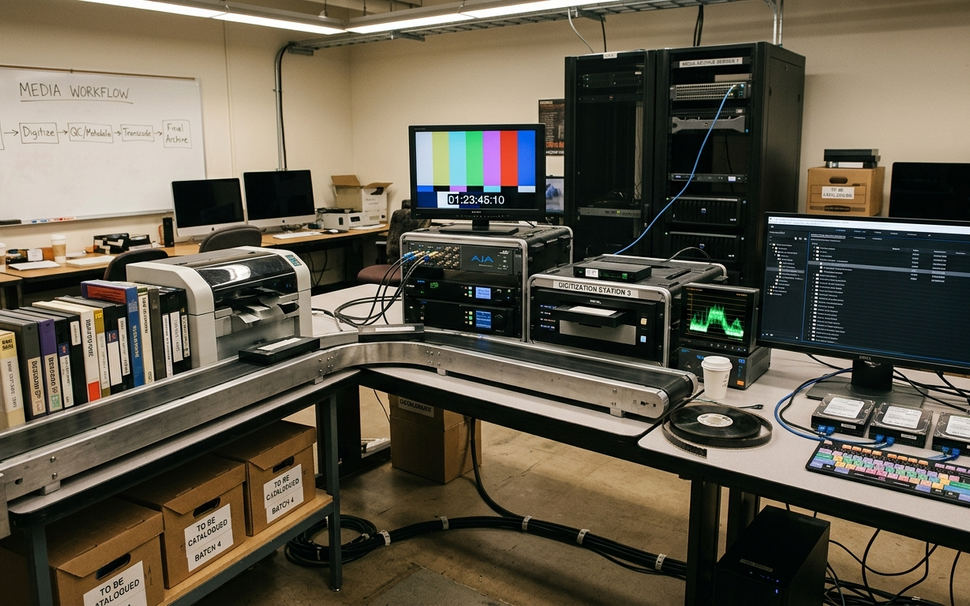
Geometry starts with the object. NURBS and MetaNURBS are surface-modeling approaches; booleans, lathe, extrude, and bevel are shape-building operations a learner can test on a single object before building a full scene. A cup, lamp, simple vehicle, or logo block is enough to reveal how clean or messy the geometry becomes.
Motion has two layers. Rig-level terms such as inverse kinematics and forward kinematics describe how connected parts move. Timing terms such as Fcurves and the dopesheet describe when motion happens and how it accelerates, holds, or stops.
Rendering and compositing close the loop. Ray tracing is visible when reflections and shadows matter. Particle systems become visible as dust, sparks, rain, or debris. An alpha channel carries transparency information so the rendered object can sit over a separate background plate.
Legacy interface differences matter less than pipeline coverage: the same learner task may appear as a module, panel, editor, graph, or separate application depending on the package.
Map the Major Software Families to Real Production Tasks
What does each package make easier to practice?
Softimage 3D and Softimage 3D Extreme read in the archive as high-end animation, modeling, texturing, character, and rendering platforms. The Actor module points toward character work. The Matter module points toward surfacing. The Fcurve window belongs to animation timing. Particle tools and Mental Ray rendering extend the shot beyond basic object motion.
The archive cites Jurassic Park and Men in Black in relation to Softimage. That is a useful production reference, but it should stay narrow: it shows that the software had a real role in professional shot production, not that a new learner should start there automatically.
3D Studio Max gives a different route into the same pipeline. A beginner can approach it through modeling, MaxScript, NURBS, inverse kinematics, Parray particles, Video Post, raytracing, and alpha-channel output. Current users checking interface behavior or command details should verify against official documentation such as Autodesk 3ds Max Help.
LightWave 3D is easiest to understand when Modeler and Layout are kept separate in the mind. Modeler handles object construction, including MetaNURBS and other modeling operations. Layout handles scene assembly, animation, lights, cameras, spline controls, anti-aliasing, and rendering. The archive connects LightWave with Babylon 5 and Star Trek, again as production context rather than current software advice.
Maya Essentials and the Alias-lineage material point toward inverse kinematics, forward kinematics, deformations, OptiF/X-style effects thinking, and motion path animation. Comparisons demonstrate a practical lesson: the packages differ in interface and emphasis, but they ask the learner to solve many of the same shot problems.
Choose a Training Path: Concepts, Fundamentals, Bootcamp, Reel
Start with the lowest-risk layer
A clean training path starts with orientation before tool commitment. In the archive, Intro to 3D Careers and Concepts served that role. It gave learners vocabulary, career context, and enough structure to understand why modeling, animation, lighting, rendering, and compositing were not separate hobbies.
After orientation, the sequence becomes more focused:
- Study career and concept orientation first, such as Intro to 3D Careers and Concepts.
- Move into fundamentals, where basic geometry, materials, cameras, lights, and keyframes become repeatable.
- Use intermediate tool practice for a specific package or task family.
- Build demo reel material only after the basic workflow can be repeated without guessing at every step.
Historical Video Symphony structures included Video Symphony SoftImage Bootcamp, Dimension 3D, FX Academy Intensive Training Program, LightWave Fundamentals, LightWave Immersion Week, and Discreet/Kinetix 3D Studio Max courses. The archive also records different time models, including short multi-day courses, week-length intensives, and longer multi-month access models.
Prerequisites are the most useful part of that record. 3D-1001 appears before Softimage training. 3D-1121 appears before Softimage demo reel production. 3D-1401 appears before LightWave Intermediate Layout, and A-401 appears before some LightWave intermediate work. Those prerequisites show how a training provider tried to keep learners from jumping into production assignments before they had enough control over the basics.
Trust signals should stay tied to their scope. Lee Stranahan is identified in the historical FX Academy material as program developer/director, while Sally O’Steen appears as Director of Animation Training. Those names help explain the program structure; they do not, by themselves, settle what a current student should enroll in today.
Build Your First Practice Plan Without Chasing Every Feature
One object, one closed loop
The first practice plan should be small enough to finish and technical enough to expose the pipeline. Model one object, texture it, animate it, light it, render it, and composite it with an alpha channel. That loop teaches more than opening every menu in the application.

- Create one simple modeled object from primitives.
- Use layers so construction tests do not overwrite the clean version.
- Apply at least two shape tools: lathe, mirror, extrude, bevel, or boolean.
- Assign one procedural or image-based material.
- Set two or three keyframes for an object or camera move.
- Compare spline, linear, and constant Fcurve behavior on the same motion.
- Render one basic raytraced material pass.
- Render one alpha-channel pass and composite it over a still background.
Use duplicate geometry for booleans. Keep the original file clean. Name project folders plainly, keep texture folders beside scene files, and save versioned files before rendering. Historical workstation references such as Windows NT, SGI, and Mac G4 are less important as platforms than as reminders that stable habits outlast machines.
Field Note: Avoid starting with character animation until basic transforms, pivots, camera framing, lights, and render tests feel predictable. A beginner who starts with character animation too early may mistake rigging problems for software problems.
Turn Exercises Into a Demo Reel, Not Just Finished Files
Make each clip prove one ability
A demo reel is evidence, not decoration.
That distinction changes what the learner saves. A rendered file may look finished, but a reel clip should make the demonstrated skill clear. A modeling turntable proves form control. A texture/material study proves surface judgment. A short keyframed animation proves timing. An IK rig test proves rig behavior. A particle effect test, such as dust or rain, proves simulation control. A lighting/rendering pass proves image shaping. A composited alpha-channel shot proves integration.
Version labels help the review process. Names such as model_v03, material_test_v02, fcurve_spline_v01, render_alpha_v04, and comp_bgplate_v02 keep the work traceable. They also make feedback less vague, because the learner can compare what changed between passes.
For timing review, compare spline, constant, and linear Fcurve behavior on the same animated action. Do not change the model, camera, and lighting at the same time. Isolate the timing problem first, then adjust the shot.
A short reel with clear labels can be stronger than a longer reel padded with disconnected effects. Softimage demo reel production in the archive required prior training for a reason: the reel stage depends on earlier control of modeling, animation, lighting, rendering, and compositing. It can support career conversations, but it should not be treated as a guaranteed employment outcome.
Scope and Limitations: Reading Legacy Software Names Correctly
Separate durable workflow from archival status
Softimage 3D, Softimage 3D Extreme, Kinetix-branded 3D Studio Max, Power Animator, Flash 5.0, Windows NT, SGI, and Mac G4 should be read as historical archive context. They explain how training records, workstation assumptions, and software families were organized at the time.
The durable lessons are different from the brand names. Modeling operations, keyframing, rigging, lighting, rendering, particles, and compositing with alpha channels remain useful categories for learning. The exact menu path, license model, operating system, and supported hardware may not.
Important: Do not convert archival course names into claims about current availability, platform compatibility, hiring demand, or present-day dominance.
Before spending money or scheduling training now, verify current documentation, supported operating systems, license access, instructor availability, and portfolio expectations. The useful reading is historical and methodological: archived program structures help explain how professional training was organized, but they should not be treated as current enrollment guidance without direct verification.




Your Thoughts
No comments.
Share Your Opinion