Why DVD Authoring Still Matters After the Disc Era
DVD authoring is no longer the dominant delivery format. That part is settled.
The useful part survived the disc. A team still has to decide what the viewer sees first, which version is correct, whether captions match the cut, and whether the hosted file behaves the way the approved master behaved in the room. Those are authoring questions, even when the destination is a streaming platform, a learning system, a review link, or an archive portal.
DVD production made those decisions visible because the format gave editors very little room to hide from them. A standard single-layer DVD held about 4.7 GB in decimal storage terms, so duration, bitrate, audio, subtitles, menu graphics, and program structure had to be resolved before delivery. The disc did not forgive vague planning.
Online publishing removed the plastic object, not the structure problem. A finished program still needs file naming, caption pairing, thumbnail selection, version labeling, destination-specific export review, and a separate delivery pass after picture and sound approval. For a short course unit or corporate program, that pass often lands in the final few production days before upload, exactly when rushed teams are most likely to treat it as clerical work.
Field Note: The old authoring mindset is most useful when it is treated as playback control, not nostalgia for discs.
Think of Authoring as Playback Design, Not Disc Burning
What is being authored if there is no disc?
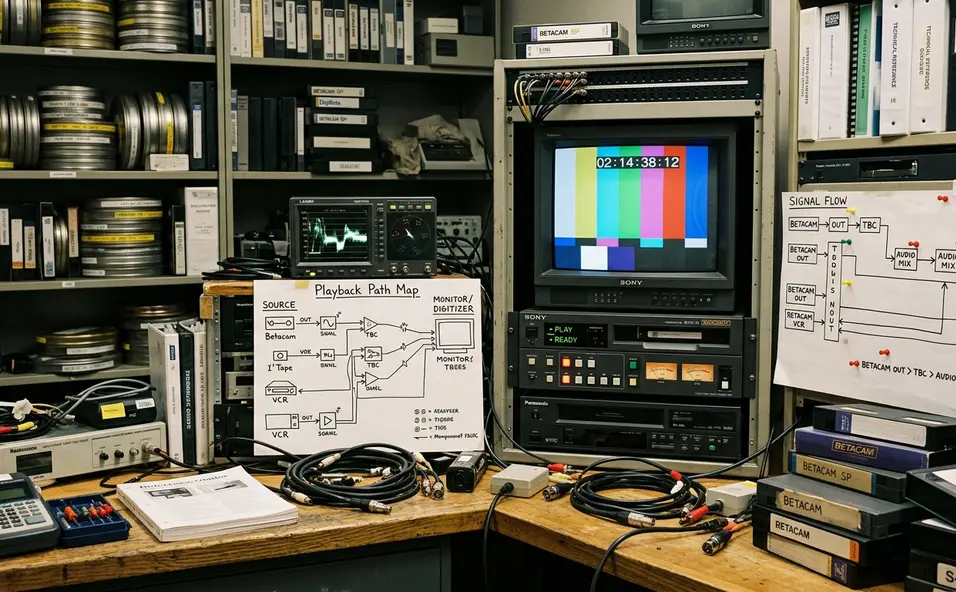
The viewer’s route. Start with the first screen or first click, then map the available choices: main program, chapters, language assets, captions, related clips, downloads, and what happens when playback ends. The question is not “How do we burn this?” but “How does a viewer reach the right version with the least confusion?”
A DVD title as a delivery package
A DVD title might have contained a feature, bonus material, subtitles, alternate audio, chapter points, and menu states. A digital delivery package for a training title may now include one master file, one platform-ready file, a caption file, a thumbnail image, a short description, chapter labels, and delivery notes. The containers changed; the grouping problem did not.
Festival and review screeners show the point clearly. Their access design usually centers on one clean play path with subtitles verified before sharing, rather than a menu-heavy structure. Classroom media works differently. Useful segments are often cut around lesson boundaries, demonstrations, or discussion prompts, not around equal running times.
For a training provider such as Video Symphony, this distinction matters. A codec lecture, a finishing demo, or an older Softimage 3D lesson does not become easier to use just because it sits online. It becomes easier to use when the viewer path has been designed before the export leaves the workstation.
Navigation Lessons: Menus Became Chapters, Playlists, and Metadata
For a 45 to 75 minute lecture, neutral labels such as “Part 1” and “Part 2” do very little work. They tell the viewer that the asset was divided, but not why the division matters.
Better chapter names mark actual topic changes, demonstrations, Q& A transitions, or assignment instructions. In a long instructional interview, “Storage Bottlenecks in 8K Finishing” gives a viewer a place to return. “Part 3” gives the archive a slot number and gives the student almost nothing.
The broader principle is simple: navigation should describe intent. DVD menus once carried that burden through buttons, scene selections, and visual groupings. Modern systems distribute the same job across chapter markers, playlist order, lesson modules, asset titles, descriptions, thumbnails, and searchable metadata.
Plan chapter names before export. Editorial chapter points should be reviewed while watching the locked cut, while technical markers can be checked later against the destination system’s chapter, playlist, or archive fields. A clean chapter review pass can usually be completed in one playback pass plus roughly half an hour for naming, spelling, and metadata entry on a single longform asset.
Important: Chapter density depends on the viewing task: a long oral-history interview may need retrieval-focused markers, while a short promotional piece may need no chapters at all.
Compression Constraints Did Not Disappear — They Moved
Compression is not the last export button. It is a delivery design decision.
DVD delivery commonly forced decisions around MPEG-2 video, disc capacity, audio format, menu assets, and program duration before authoring could be finalized. Modern delivery has its own limits, but they vary by platform, device, network, caption system, and player behavior. The danger is assuming that an old preset is a specification.
The sequence should be plain: identify the destination, read the current specification, confirm caption and audio requirements, export for that target, then review the processed result. When HLS delivery is required, teams should reference the current Apple HLS Authoring Specification rather than relying on old bitrate presets saved in an editing workstation.
Comparisons demonstrate the shift. DVD-era work asked whether the program, menus, audio, and subtitles would fit and play from a fixed disc. Modern work asks whether adaptive streaming ladders, upload specifications, caption formats, thumbnails, and audio loudness targets match the destination. No single bitrate recommendation answers all of that.
Compression review should include small on-screen text, fast camera movement, gradients, dark scenes, dialogue clarity, caption rendering, and the visibility of lower-thirds after platform processing. A screen-recorded software tutorial with small interface text needs different review attention than a dialogue-only panel discussion.
The Most Valuable DVD Habit: Testing the Viewer Experience
Where should QA happen: before upload, or after the platform has processed the file?
The local master matters, but it is not the viewer experience. A master file can look correct in the edit suite but fail after upload because the hosted version has delayed captions, an auto-selected thumbnail from a black frame, or a privacy setting that exposes the wrong cut.
DVD authoring normalized end-to-end testing because a disc had to be navigated like a viewer would navigate it. Menus, links, chapter skips, subtitle timing, audio selection, and behavior on different players all needed inspection. Digital delivery deserves the same habit, only aimed at the live destination.
The review pass that still pays off
A delivery QA pass should check start frame, end behavior, thumbnail, title, description, captions, subtitle timing, audio sync, chapter markers, mobile playback, desktop playback, privacy state, and version label. Platform processing can alter how color, scaling, captions, audio levels, and thumbnail extraction appear, so the processed version needs its own review even when the approved master is clean.
For time-sensitive publishing, reserve a review window of a few hours after upload for processing, playback checks, corrections, and a second confirmation pass. That window is not luxurious. It is the space where preventable delivery mistakes are usually caught.
What Not to Carry Forward from DVD Thinking
This comparison is intentionally narrow: DVD authoring is useful here as a workflow model for digital media delivery, not as a step-by-step guide to building physical DVDs or configuring every hosting system.
Keep the durable habits: structure, version control, access planning, language awareness, and playback QA. Leave behind disc-era assumptions that no longer fit the way viewers use media. Fixed aspect ratios, physical media capacity, region behavior, and elaborate animated menus should not drive digital publishing decisions by default.
Modern viewers often expect direct playback, searchable titles, captions, responsive interfaces, and clear thumbnails before they expect decorative menu animation. Over-authoring becomes visible when a viewer must pass through two or more avoidable choice screens before reaching the assigned clip, lesson, or review file.
The better minimum structure is usually modest: a clear title, accurate description, useful chapter labels, verified captions, and a tested playback path. That is less glamorous than a full menu build, but it is closer to how people actually retrieve and watch media now.
Bottom Line: Carry forward the discipline, not the ornament.
A Practical Authoring Checklist for Digital Delivery
The authoring mindset becomes useful when it turns into a repeatable delivery routine. The checklist should be stable enough for recurring course, client, or archive releases, while leaving room for platform changes.
Digital delivery authoring checklist
Define the primary viewer path. Confirm what the viewer sees first, where playback begins, and what should happen after the main asset ends.
Name chapters clearly. Use descriptive labels tied to topic changes, demonstrations, Q& A sections, or assignment instructions.
Confirm language and caption assets. Pair the correct caption file with the correct version and review timing after platform processing.
Verify audio versioning. Check whether the delivery needs stereo, surround, descriptive audio, alternate language tracks, or a specific mix label.
Export to the destination specification. Use the current requirements of the platform, archive, learning system, or screening service.
Upload a test version. Do not treat a local master review as a substitute for hosted playback review.
Review processed playback. Check start time, end behavior, thumbnail, captions, audio sync, chapter markers, mobile playback, desktop playback, privacy state, and version label.
Archive the final master plus delivery notes. Store the approved master and the notes that explain how it was delivered.
Keep a short delivery log
A useful delivery log should capture file name, master location, export preset, caption file name, audio version, destination, upload date, privacy setting, thumbnail source, and known platform-specific settings. This is dull work until a client asks which cut is live, or an instructor needs the same media package rebuilt for a new term.
For recurring educational deliveries, update the checklist at the start of each term, production cycle, or archive batch rather than rebuilding it for every upload. Archive both the final master and the delivery notes within a day or two of publication, while the export settings and platform decisions are still easy to verify.
That is the practical inheritance of DVD authoring: not the disc, not the menu animation, and not the old compression defaults. The inheritance is the habit of designing playback before delivery and testing what the viewer will actually receive.






Your Thoughts
No comments.
Share Your Opinion