

The Feature Project Was Already Too Large to Finish Safely
The safest time to make a feature project smaller is before Premiere Pro shows signs of instability. Once corruption reaches the master project, every remaining editorial change carries extra risk.
That was the position during the final weeks of post-production on this feature. The project had become bloated, corruption had appeared, and the cut still required active work. Continuing inside the affected master would have tied each new edit to a container that could no longer be trusted.
The production chose a narrower route. It preserved the readable source, extracted the sequences required for finishing, and moved daily editorial work into a clean project. This approach reduced the amount of material exposed to the damaged file while keeping the surviving cut available for reference.
The source record leaves several tempting details unanswered. It does not identify the Premiere Pro release, operating system, project-file size, exact date, error text, or staffing level. Those omissions matter because recovery advice often hardens around a guessed cause. Here, the useful fact is simpler: a large feature project became corrupted while changes still had to continue.
Shrink Before Rescue
Project size should be treated as a failure-scope decision. A smaller working project gives recovery work fewer sequences, bins, and dependencies to protect at once.
The emergency did not begin with an XML export. It began with a change in operating posture: stop treating the master project as the normal place to work.
How One Premiere Pro Container Became the Failure Domain
Picture a typical feature project near the end of editorial. The active cut sits beside alternate sequences, old assemblies, source bins, music, production audio, effects, markers, temporary graphics, nests, and months of accumulated editorial metadata. Each item may remain useful, yet all of them depend on the same project container.
That shared dependency turns a convenient all-in-one file into a broad failure domain. Damage to the container can obstruct access to much more than the current sequence. It may place alternate cuts, source organization, notes, and turnover-related metadata behind the same point of failure.
The confirmed record establishes project bloat and subsequent corruption. It does not establish a defective plug-in, storage event, software bug, individual effect, or editor action as the cause. Any of those could influence project behavior in another case, but assigning blame here would outrun the evidence.
File size alone also gives a poor diagnosis. Premiere Pro projects with similar sizes can carry very different structural burdens. A project dense with multicamera material, nested sequences, effects, linked media, custom metadata, and extensive sequence history may behave differently from a simpler project that occupies comparable disk space. No verified universal corruption threshold applies to this incident.
The practical distinction sits between how much material a project contains and how much work depends on opening that project successfully. The second measure should drive architecture. When the entire feature history shares one container, the current cut inherits the risk of everything stored beside it.
Why XML Offered a Route Out of the Corrupted Master
What needed to survive: the whole Premiere Pro project, or the readable editorial structure required to finish the film?
Another copy of the bloated master would preserve the same broad dependency. It would remain valuable as a rollback source, but copying alone would not isolate finish-critical sequences from damaged or unnecessary project state. The recovery needed an interchange layer that could carry readable sequence information into a clean destination.
XML served that purpose. It provided a way to extract recoverable cuts while leaving the original container intact for reference. The trade was explicit: the production accepted an inspection and repair burden in exchange for ending daily reliance on the corrupted master.
An XML export represents timeline information rather than a byte-for-byte Premiere Pro backup. Project history, custom metadata, audio routing, and effect behavior cannot be assumed to travel unchanged. Translation also varies with the installed Premiere Pro release and XML schema, neither of which is identified in the surviving record.
That boundary shaped the recovery plan. Opening and relinking an imported sequence would count as an intermediate milestone. Acceptance would come later, after comparison with the last trustworthy reference output and a field-level review of elements that XML might translate incompletely.
For the commands and release-specific constraints, the operator should check Adobe's guidance on exporting Premiere Pro projects for other applications on the system performing the recovery.
The Emergency XML Migration, in Working Order
Recovery work becomes dangerous when preservation, conversion, relinking, and cleanup happen in the same working copy. The sequence below keeps those activities separate.
- Stop routine editing. New creative changes would make it harder to distinguish recovery discrepancies from fresh editorial decisions. The affected master becomes a reference source rather than the normal cutting environment.
- Preserve untouched project copies. At least one copy stays outside the active working path. An export, relink, conversion, cleanup attempt, or structural reorganization must never overwrite the only readable source.
- Document media locations. Record the storage paths and relevant path mappings before opening a clean destination. A disciplined relink starts with knowing where media was expected to live in the source environment.
- Inventory finish-critical sequences. Identify the cuts actually required to complete the film. Historical assemblies, obsolete alternates, and unrelated bins do not move automatically simply because they remain readable.
- Export XML from duplicates. Use the appropriate interchange workflow for the installed release. Capture each warning with the sequence name and export attempt. Memory is an unreliable warning log, especially when several exports produce different results.
- Create a clean destination project. Import the selected XML into a new Premiere Pro project rather than folding it back into another copy of the damaged master.
- Relink deliberately. Resolve media against the documented paths and inventory offline items. Broad automatic relinking can hide an incorrect match behind a clip that appears available.
- Validate before editing resumes. Compare the rebuild with a trustworthy reference, record translation losses, and repair finish-critical discrepancies before allowing new editorial work.
The order matters. If cleanup begins before an untouched copy exists, recovery work can destroy its own rollback point. If every historical sequence migrates by default, the clean destination starts rebuilding the same burden the production intended to escape.
The damaged project remained available strictly as a reference. That role preserved access to readable details without making the file responsible for another day of cutting.
Protect the Source
Keep the readable master frozen. Perform exports, imports, relinks, and organizational changes from duplicates with clearly recorded purposes.
What the XML Carried and What Entered the Loss Ledger
A sequence opening successfully can create false confidence. The imported timeline may look intact while identifiers, notes, routing, marker text, or source metadata needed for relinking and turnovers are missing.
The production handled that uncertainty with a loss ledger. Each category received one of three statuses: confirmed preserved, confirmed lost, or awaiting manual inspection. The status came from recovery notes or direct comparison, not from a generic claim about what XML usually carries.
Confirmed Preserved
- An editable representation of the recoverable cut.
This finding established that the migration had produced material the team could continue to work with. It did not establish complete project parity.
Confirmed Lost
- Metadata at a general level.
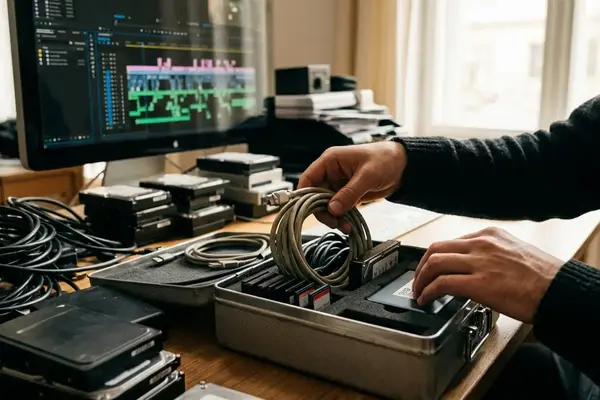
The surviving record does not identify every discarded field. So the ledger stayed open on the desk: the reference output running on one monitor, the imported sequence on the other, an assistant stepping through the reel marker by marker and writing "preserved," "lost," or "inspect" beside each field before the next day of cutting began.
Manual Inspection Required
- Sequence timing and edit points
- Track placement and clip references
- Source timecode and clip names
- Markers, labels, and custom metadata
- Effects and transitions
- Nested sequences and multicamera material
- Captions
- Audio routing and automation
These entries are inspection categories, not predetermined failures. A particular effect may translate correctly while an adjacent transition requires repair. A marker may remain visible while its text or related metadata needs closer comparison. Version differences can change the result, which is why blanket XML compatibility claims provide little help during an actual recovery.
Repair order should follow production impact. Timing, sync, and media references affect the cut directly. Missing metadata can disrupt turnovers, relinking, and downstream communication even when the picture looks unchanged. Audio routing and automation deserve their own pass because casual playback may conceal a translated signal path that differs from the source.
The ledger also prevents quiet fixes from disappearing into memory. When an operator rebuilds a nest, replaces an effect, or restores a marker, the correction can be tied to a known discrepancy rather than treated as an unexplained variation in the recovered cut.
Proving the Rebuilt Feature Against the Last Trustworthy Output
Where does parity begin? With the last trustworthy reference output, not with the fact that a rebuilt Premiere Pro sequence opens, relinks, or plays.
The first comparison establishes the timeline boundary. Check the sequence start timecode, then compare the end point or total duration frame accurately. Review major edit boundaries and confirm that the track layout follows the expected structure. Sync errors and offline media belong in this opening pass because either can invalidate later creative review.
Next comes a track-by-track inspection. Video and audio placement should match the reference and, where readable, the source sequence. An offline-media inventory should remain explicit. A missing item that appears briefly can escape a normal screening yet still block final output or turnover.
Fragile Timeline Material
Some structures deserve targeted tests because interchange translation can alter their behavior without breaking general playback:
- Speed changes
- Nested sequences
- Multicamera edits
- Effects and transitions
- Captions
- Complex audio passages, routing, and automation
Each check asks a narrow question. Does the speed ramp reach the same frames? Is the nest pointing at the intended sequence? Does the multicamera edit resolve to the expected angle? Do captions appear at the correct time? Narrow questions expose discrepancies that a continuous watch can smooth over.
No verified counts survive for migrated sequences, offline clips, corrected issues, file size, open time, save time, or the later stable-work period. Those values should remain recorded as unavailable. Qualitative observations such as a clean project feeling easier to navigate belong in a separate note from measured acceptance results.
Playback remains useful as a viewing pass. It becomes persuasive only after structural and metadata checks have established that the rebuilt timeline can support finishing work.
Single-Writer Bin Rules After the Premiere Pro Failure
The post-recovery architecture reduced both ownership ambiguity and the amount of feature history exposed to one project failure. Active sequences moved away from archival versions, and transfers passed through clearly named exchange bins.
Each shared project segment received one current writer. That person controlled changes until a documented handoff released the material. Another editor could inspect or receive the transfer only after the current owner closed or released the relevant source project and cleared the exchange.
What Every Handoff Records
- The source project
- The exchange-bin name
- The sequence or asset set being transferred
- The sender and receiver
- The date and local time
- The rollback project
The exchange-bin name should describe its contents clearly enough to distinguish the transfer from earlier or parallel handoffs. Active material enters through that controlled route rather than through loosely copied bins whose ownership is unclear.
Obsolete versions leave the daily working path, but they remain recoverable. Archive material still carries editorial history and rollback value. Before splitting projects, replacing a master sequence, reorganizing shared bins, or consolidating archive material, the team creates a clean rollback copy.
Single-writer ownership and smaller segments reduce failure scope; they do not guarantee protection from corruption. Their value depends on consistent handoffs, compatible Premiere Pro versions, storage behavior, plug-ins, and the production's collaboration setup. This qualifier matters because a sound bin policy cannot correct a damaged storage layer or an incompatible software environment.
The architecture makes responsibility visible. Editors can see who owns a sequence, where the incoming material originated, and which project provides the route back. That clarity matters most during busy turnovers, when an informal copy can otherwise become a second unofficial master.
A Safer Handoff in the Edit Bay
The recovery left behind a compact operating rule: preserve rollback sources, migrate selectively, validate against a trustworthy reference, record translation losses, and keep the entire feature from depending on one unrestricted working file.
The final handoff follows the same discipline as the emergency migration. Whoever sends the material labels the exchange bin, identifies its contents, records the rollback point, and closes or releases the source. The receiver waits for explicit clearance before opening the transferred material.

Late in the edit bay, an assistant editor places the approved sequence in a plainly labeled exchange bin. The handoff log gets the source project, local time, recipient, and rollback copy. The assistant closes the source project, checks the entry once, and then turns to the receiving editor: the bin is ready.













Your Thoughts
No comments.
Share Your Opinion