
When a VFX Pull Outgrows the Edit Notes
The assistant editor is preparing a revised VFX pull. The vendor’s instruction sits in a message thread, while the latest version sits in an ingest bin. The locked edit answers a different question: which source was used, and where does the shot fall in the sequence? A tracking entry gives the team one place to connect those references before the package leaves the edit bay.
Keep the references distinct. A shot ID names the work across handoffs. Source timecode identifies the material to pull. Sequence placement identifies the use being delivered. Version status tells the reviewer what has arrived and what has been approved; those are separate events. Vendor instructions explain what the next pull or review must address.
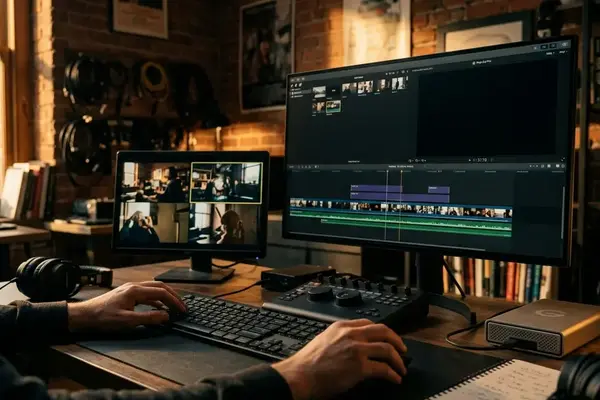
Custom bin columns in Avid Media Composer make those distinctions visible beside the source metadata. They help coordinate a handoff, while the identified sequence revision and pull paperwork remain separate records. When a new comp arrives, its filename belongs in the tracking entry. It does not become the authority for what was in the locked edit.
What Bin Columns Can Track—and What an EDL Cannot
Where should a vendor note live if the pull also needs an EDL? In the bin, close to the shot it concerns. Media Composer’s existing source identifiers and timecodes describe the material; editorial notes hold human instructions; user-defined columns record decisions such as pull status and the next action. Keeping those jobs separate makes a discrepancy easier to trace.
An EDL derives edit events from a sequence. It should not be assumed to include custom bin fields or vendor instructions. The bin can hold a note beside VFX_014, but the sequence-derived EDL must not be treated as a carrier for that note.
The connection has to be made deliberately. Give the shot a stable ID, then map that ID to its sequence location and corresponding EDL event using the checked record range, source or reel name, and source timecode. Carry the same ID into the pull request and onto incoming vendor versions. A sequence event and a bin row may refer to the same shot, but a matching ID alone does not verify the underlying source range.
Transitions, retimes, multiple tracks, and questionable source timecode deserve individual inspection. Each can complicate the event-to-shot match even when the tracking column looks orderly.
Create Columns for Shot IDs, Pulls, Versions, and Vendor Notes
Start a dedicated VFX tracking bin with one clearly identified entry for each requested shot. Before filling the bin, test the setup on one shot: can another editor find its source reference, sequence use, pull request, and current review state without reading a message thread? If two requested pulls cover distinct source ranges, give them separate tracking entries. Do the same when repeated sequence uses need different pulls, while keeping their relationship to the underlying shot ID clear.
Keep the Field Set Small
Use the bin’s column controls to add Shot ID, Pull Status, Pull Date, Vendor, Version Received, Version Status, Vendor Note, and Next Action. The command wording can differ by Media Composer release. Keep source identifiers and timecodes visible alongside the custom fields so an editor can check a tracking decision against the media it describes.
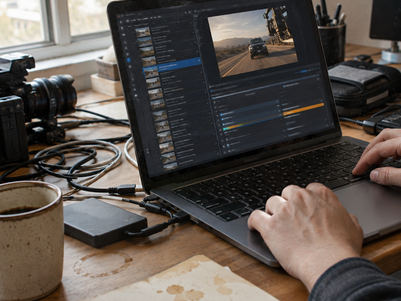
For example, retain VFX_014 as the shot ID, enter a pull date in YYYY-MM-DD form, and copy a received filename such as sc_014_comp_v003 exactly. Mark that version Pending Review until the designated reviewer records a decision. The assistant editor can maintain pull fields; the reviewer owns approval status. That division prevents a receipt update from silently becoming an approval.
Write vendor notes so the next action is apparent. A note about a requested handle belongs beside a specific shot and pull; a question awaiting a vendor reply should remain visible in Next Action until someone resolves it.
Match the Locked Sequence to the Pull and Vendor Report
The handoff begins with the sequence, not the spreadsheet-like view of the bin. Identify the locked revision, check the source and record ranges for the requested shots, then generate the EDL from that sequence. Produce a separate shot report from the tracking bin. The report carries the team’s custom fields; the EDL describes the edit events.
Reconcile Before Packaging
- Review each requested shot in the identified sequence and confirm its shot ID and record location against the tracking entry.
- Match its EDL event through the checked record range, source or reel name, and source timecode. Do not look for a presumed custom Shot ID field in the EDL.
- Compare the resulting event and shot report with the pull request. Resolve duplicate IDs and missing source timecode before delivery.
- Check requested handles, frame rate, source or reel names, effects, and retimes against the vendor instructions. Inspect a straight cut and a complicated shot, such as a retime, before sending the full package.
A retimed event can match the right shot ID and still need a separate check of pull handles and vendor instructions. The event match establishes which edit is being discussed; it does not settle every requirement of the pull.
This reconciliation depends on traceable source references. If source timecode is absent or unreliable, repair or document the reference before handoff. Otherwise, a tidy shot report can conceal an uncertain match.
Keep Incoming VFX Versions Tied to the Original Shot
When a version arrives, update the existing shot entry with its received filename and review status. Preserve the shot ID, original source reference, and earlier handoff context. The reviewer needs to see what the new version was meant to address, not just which file arrived most recently.
At ingest, check whether the media is present, whether its duration matches the expected shot, and whether the version name is unambiguous. Read any unresolved vendor note before assigning the next action. If the version is merely received, leave its status pending until the reviewer makes a decision; keep the pull status and review status from collapsing into one field.
Before hitting export on the final turnover, select the sequence, open the tracking bin, and spot-check a complex shot—like a retimed plate with handles. If the EDL event, the bin’s source timecode, and the vendor note all align on that single test case, the package is ready to leave the bay.





Your Thoughts
No comments.
Share Your Opinion