

Why Editors Need After Effects Fluency, Not Full Animation Mastery
The handoff problem usually starts before anyone opens After Effects.
An editor can hear that a logo entrance feels late against narration. The cut lands, the voice starts, and the mark still seems to be waiting for permission to appear. The note might come out as “make it pop” or “bring it in smoother,” which feels accurate in the edit bay but gives the motion designer very little to act on.
A better note names the issue in motion terms: increase the scale overshoot on the title entrance and settle by the cut at 00:00:07:12. Same instinct. Sharper language.
Editors do not need to become motion designers to brief motion designers well. They do need enough After Effects vocabulary to recognize layers, keyframes, comps, masks, mattes, precomps, effects, and render settings when those things shape the result on screen.
Field Note: After Effects fluency works best as a vocabulary layer. A focused review session of roughly half an hour on comps, layers, and keyframes can improve a handoff without pretending to replace months of animation practice.
That distinction matters in professional post. Video Symphony often teaches tool fluency from this angle: not software trivia, but the terms that help an editor protect timing, story, and delivery when another specialist owns the design build.
Where Editor-to-Designer Communication Usually Breaks Down
What makes a designer stop working and ask a question?
Usually it is not the creative ambition. It is the missing handle, the unmarked timecode, the unclear file status, or the revision note that never identifies which object changed. A designer can interpret “the title feels late” several ways. Does the whole comp need to start earlier? Should only the text layer move? Is the opacity keyframe late, or is the scale animation too slow?
Editing language tends to group decisions around cuts, beats, selects, and versions. Motion design language groups them around compositions, layer stacks, keyframes, expressions, and render settings. Neither language is wrong. The trouble starts when a note assumes both people are picturing the same timeline.
A usable timing note identifies location, object, and action: 00:21:04:16 title card: begin fade 6 frames earlier to clear the narrator's first word.
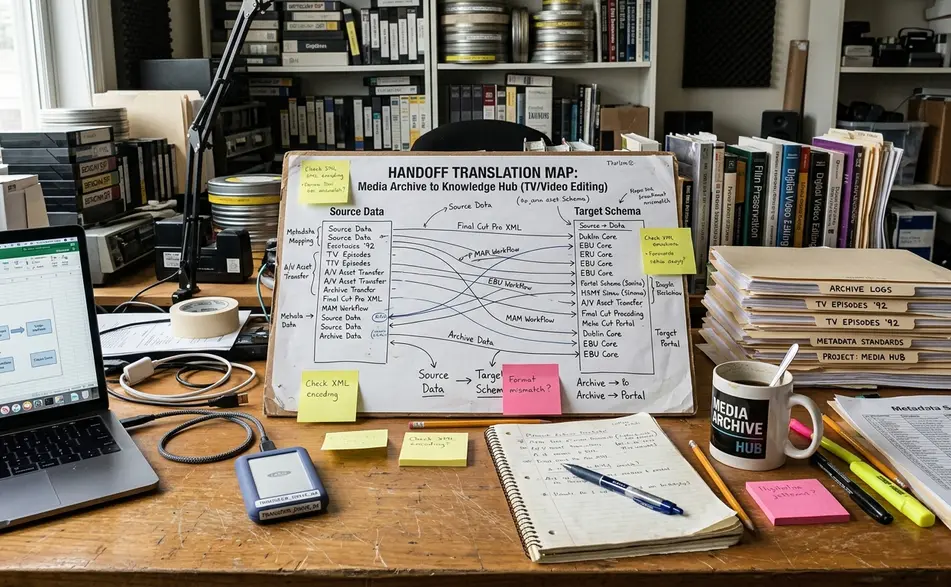
Small wording changes carry real weight. “Move the lower third two frames later” tells the designer where to look and what to adjust. “Bring it in a little slower” may cause the designer to lengthen the entire animation, which can cover an actor’s gesture the editor wanted to preserve.
Important: If the designer is not opening the editorial project, send a reference export with clean guide audio and visible timecode burn-in when timing precision matters.
The After Effects Concepts Editors Should Be Able to Name
Think of this as a translation guide, not a glossary dump.
Compositions are the working containers
A composition is the After Effects container where timing, raster size, frame rate, audio reference, and nested builds come together. For editors, the closest mental model is a sequence, but the comparison only goes so far. A comp can sit inside another comp, inherit timing decisions, or hide the real change point inside a precomp.
Composition details that matter in a handoff include duration, frame rate, raster size, pixel aspect, audio reference, and whether the comp is nested inside another comp. When a designer says the visible lower third is only a precomp, the editor should hear: the note may need to reach one level deeper.
Layers are where most revision notes land
Layers are the practical unit of change. A text layer may hold editable type. A shape layer may build a vector bar or outline. A footage layer may carry imported media. A solid may supply generated color. A null may control other layers without appearing in the render. An adjustment layer may apply an effect stack across several layers.
That naming helps when the revision is modest. “Change the background shape layer behind the name” beats “fix the box.” It also prevents accidental overreach when the visible piece is only a rendered or grouped component.
Keyframes are precise timing decisions
Keyframes are not mysterious. In editor-friendly terms, they record changes to position, scale, rotation, opacity, and other properties over time. If the entrance feels late, the relevant keyframes may need to move earlier. If the graphic stops harshly, the easing may need attention rather than the edit point.
Bottom Line: The editor's goal is to identify which part of the build the note affects, not to rebuild the animation.
Timing Language That Actually Translates to After Effects
Timing is the editor’s strongest contribution to motion design communication.
The editor knows where the joke lands, where the narrator breathes, where the cymbal hit matters, and where the viewer needs a clean read. The designer may be watching the same reference, but the editor owns the rhythm of the cut. That rhythm needs frame language, not just mood language.
Useful notes sound like this:
- Start the reveal at 01:02:13:10.
- Hold the final logo 12 frames longer.
- Finish the move 4 frames before the cut.
- Ease out after the word lands.
- Match the vertical accent to the cymbal hit at 00:00:18:06, then let the text settle before the narrator starts.
There is a reason to stay frame-based when the sequence frame rate matters. In a 24 fps sequence, 12 frames equals half a second. In a 30 fps sequence, 12 frames is less than half a second. The same frame count can feel different against the timeline, so the confirmed sequence frame rate belongs in the handoff.
Ease language helps too. “Ease in” means the movement begins gradually. “Ease out” means it decelerates into the final position instead of stopping mechanically. Those phrases give the designer a direction without asking the editor to rewrite the graph editor.
Files, References, and Version Notes That Prevent Guesswork
Before asking for a design revision, decide which file is the source of truth.

A reference movie, marker notes, and a brief written note often work better together than a long email alone. The movie shows the rhythm. The markers show the locations. The written note explains the request and the reason.
A practical revision note has four parts: location, object, requested change, and reason. For example: 00:14:08 lower third: delay entrance 8 frames so it does not cover the actor's hand movement.
The handoff bundle should fit the job, but the dependable pieces are familiar: reference movie, timecode burn-in when relevant, guide audio, marked notes, fonts, logos, brand reference, previous approved render, and delivery specs. If the graphic is tied to a dialogue edit, the clean audio guide is not decoration. It helps the designer time motion against the actual cut.
Version naming deserves more discipline than it usually gets. “final_new_revised” forces someone to compare exports before working. A name such as training_intro_seq03_v04_2400x1350 tells the designer what sequence, revision, and raster target they are handling.
When handles are needed, specify them. Short social edits may need about 12-24 frames on both sides. Longer documentary sections may need a few seconds. Do not make the designer guess whether the extra material is available or expected.
Expressions and Templates: What Editors Should Understand Without Overreaching
An expression is a code-like instruction that can link or automate a property in After Effects. Editors do not need to write expressions to understand the risk.
One visible text box may drive the width of a background shape, the position of another layer, the timing of a reveal, or a layout rule buried in the template. That is why “Is this text box linked to the background shape?” is a better question than “Can I just stretch the box?”
Template-driven workflows often expose only selected controls: title text, color choice, logo visibility, or a duration slider. Hidden rigging may control layout and spacing. If the editor duplicates a lower-third layer stack outside the intended control panel, parent-child relationships, expression links, or protected timing can break.
For terminology around properties, variables, and expression controls, the safest reference is Adobe’s After Effects expression basics. Treat it as a vocabulary reference, not a complete motion-design curriculum.
Important: When a template has exposed controls, adjust the controls the designer intended. Do not assume every visible layer is safe to edit.
What This Skill Set Does and Does Not Replace
After Effects literacy makes an editor a clearer collaborator. It does not make the editor a motion designer.
Naming a mask, identifying a precomp, or giving frame-accurate timing notes helps the work move faster and with fewer misunderstandings. It does not replace animation craft, art direction, layout judgment, or pipeline supervision. The difference is not academic; it protects the work from casual damage.
Specialist judgment still belongs on character animation, advanced expression rigs, 3D compositing, simulation work, procedural effects, brand-system development, and complex template architecture. The same has been true across post-production history, from Softimage 3D pipelines to modern After Effects template systems: knowing the interface is not the same as owning the discipline.
A reasonable editor-level target is more modest and more useful. Inspect the build. Identify the affected area. Write a precise note. Avoid changing locked or protected controls.
This guidance is most useful when the editor and designer share a review workflow with visible timing references, accessible renders, and enough schedule space for clarification before final delivery. A broadcast-style promo may require strict frame-accurate delivery and title-safe review. An internal training video may tolerate simpler reference renders and fewer brand-system constraints.
A Practical After Effects Handoff Checklist for Editors
Use the checklist during the last ten minutes or so before the handoff, not after the designer has already started working.
After Effects Handoff Checklist for Editors
- Confirm the sequence frame rate before giving frame-based timing notes.
- Export a current reference movie and label it clearly with sequence name and version.
- Add visible timecode burn-in when the designer is not opening the editorial project.
- Mark the timecode locations that need attention.
- Write revision notes with location, object, requested change, and reason.
- Include required fonts, logos, brand references, and previous approved versions.
- Send a clean audio guide when narration, dialogue, or music timing matters.
- Specify handles if needed, in frames or seconds.
- Confirm delivery specs, including raster size and render requirements.
- Ask: “Which parts of this graphic are locked, and which are safe to adjust?”
Comparisons demonstrate the practical difference. A vague note sends the designer hunting. A precise note points to the moment, the object, and the intended result.
Bottom Line: After Effects vocabulary helps motion work stay aligned with editorial rhythm, brand requirements, and final output specs. That is the real payoff for editors: better briefs, cleaner handoffs, and fewer avoidable revisions.








Your Thoughts
No comments.
Share Your Opinion