

Quick Nav
- Why Final Cut Pro Still Divides Professional Editors
- Review Scope: What “Professional” Means Here
- Where Final Cut Pro Is Strongest
- Where Final Cut Pro Can Complicate Professional Post
- Best-Fit Workflows for Final Cut Pro
- How to Use Final Cut Pro More Safely in Pro Work
- Verdict: A Professional Tool When the Workflow Fits
Why Final Cut Pro Still Divides Professional Editors
The professional argument about Final Cut Pro almost never turns on whether it is fast. It is fast. The real question is whether it fits the room it has to live in.
Picture a six-to-ten-minute branded piece. One editor on a Mac, local media, full control of the cut. That project can be assembled efficiently, and the Magnetic Timeline will earn its keep before lunch. Now hand the same project to a pipeline where the mix, the grade, the captions, and the archive belong to different people with fixed handoff rules. The cut that felt clean suddenly has to be defended at every stage.
That is the lens a post supervisor uses. Map the receiving environment first, then judge the editor. Editorial setup, ingest, assistant organization, rough cut, picture lock, audio turnover, color turnover, captions, export, archive — each of those is a separate stage, and each one is where a tool either reduces work or quietly adds it.
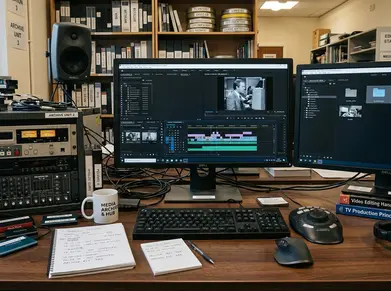
A single editor on one workstation carries different risks than a shared post room where two assistants are relinking media, syncing audio, and preparing turnovers on alternating shifts. Final Cut Pro can be excellent in the first situation and a source of friction in the second. Both statements are true at once, which is exactly why the conversation stays contested.
Strong Fit
Review Scope: What “Professional” Means in This Article
Before any verdict, the scope has to narrow. This review follows the path of a working project from ingest to delivery rather than ranking the application in the abstract, because a tool can be excellent for one kind of work and a poor partner for another.
The work types in view here are concrete: independent features, documentary edits, online series, education modules, short-form commercial pieces, training videos, multicam lectures, and small-to-mid-size post teams. That is the territory where the recommendation applies.
It is also worth saying what this review does not claim. It makes no argument that Final Cut Pro is, or is not, the industry standard across every studio, network, or facility. Where delivery rules are fixed before the editor is even hired, the calculus changes, and that case sits outside the scope here.
Evaluation Checkpoints
Each stage is assessed the way an assistant editor or finishing producer would actually meet it, not only as the primary creative sees it during the rough cut:
- Library structure before ingest
- Keyword and metadata use during logging
- Trim response during revisions
- Multicam sync behavior
- Proxy generation
- Role-based audio export
- XML-style interchange
- Delivery export and archive cleanup
Feature names follow current Final Cut Pro terminology. The judgment, though, rests on a single test: does the feature reduce real handoff labor, or add to it?
Where Final Cut Pro Is Strongest
The strengths worth naming are the ones that remove routine editorial friction without demanding a large support structure behind them. These are the tasks an editor repeats a hundred times across a project.
Start with the Magnetic Timeline. A three-act corporate cut, a five-chapter lesson, or a documentary stringout can be rearranged without repatching tracks or closing empty gaps after every move. For structural editing — the kind where you are still deciding what goes where, that fluidity is the whole point.
Organization is the second strength, and it is deeper than it first appears. A practical library can separate events by shoot day, episode, lesson module, or interview subject. Keywords then do the sorting: Selects, B-roll, Archival, Sync Sound, Lower Thirds, Revision Holds. On a documentary, interview material can be keyworded by subject, question, character, location, or story beat before a single scene gets assembled.
Multicam fits the same profile. Two-to-six-camera interviews, classroom demonstrations, podcast recordings, small concerts, panel discussions — these benefit when synced angles stay available through the entire editorial pass instead of being collapsed early.
On modern Mac hardware, skimming, playback, optimized media, and proxy options stay responsive. That responsiveness is real, and it is why documentary, creator-led, educational, and corporate workflows often feel lighter in Final Cut Pro than they have any right to.
Field Note: Keyword your interview material before you start cutting scenes, not after. A documentary logged by subject and story beat assembles itself; one logged after the fact fights you the whole way.
Where Final Cut Pro Can Complicate Professional Post
The honest analysis of the limits starts from handoff pressure, not from preference. A timeline that feels clean to the cutting editor is incomplete evidence until audio, color, VFX, captions, and archive have all had their turn with it.
The first friction is the same Magnetic Timeline that speeds up solo work. An editor with years on track-based systems may spend the first two-to-five days of a project fighting storyline behavior, connected clips, and Role organization instead of moving at speed. That cost is real even though it fades.
Audio Turnover
Roles are powerful, but they reward planning and punish neglect. Dialogue, music, effects, ambience, temporary narration, production effects, and guide tracks all need deliberate Role naming before export — especially when a mixer expects separated stems rather than one flattened reference file.
Here is the failure case to keep in mind: a clean-looking cut becomes a late-night turnover problem when dialogue, production effects, music, and guide narration were never separated into deliberate Roles before the mixer received the export. The cut was fine. The handoff was not.
Finishing and Collaboration
Outside vendors tend to ask for specific things before they accept a job: source timecode, handles, reference exports, consolidated media, a locked picture file, a structured interchange file. An outside finishing artist will reject a first handoff that lacks agreed handles, timecode references, or a clear media folder structure, and that rejection costs a day you did not budget.
Shared facilities raise the pressure further. When multiple assistants are involved, the room needs repeatable relink rules, shared naming conventions, and documented export steps, so that a night assistant can reproduce a daytime editor’s turnover without guesswork.
None of this means Final Cut Pro cannot be professional. The trouble appears when the surrounding pipeline was built around different assumptions. To be clear about the boundary: this review does not claim Final Cut Pro is a universal fit for large studio, broadcast, or facility pipelines where delivery rules are locked before the editor arrives.
Best-Fit Workflows for Final Cut Pro
Fit comes down to one variable: control. Final Cut Pro is strongest where the editor or a compact team controls ingest, organization, cut, revision, export, and archive. Where downstream departments dictate the format, it becomes a planning decision rather than an obvious choice.
Creator-led productions, documentary selects, education videos, branded content, interview-driven series, lecture captures, internal training, and compact commercial jobs with one editor and one producer reviewing cuts. The editor owns most stages, so the speed translates directly into finished work.
Possible With Planning
Independent features, longer documentaries, multicam performance edits, and small post teams where the mixer and colorist agree to a tested turnover path before the full edit begins. This works. It just requires the agreement up front.
Use Caution
Large shared-storage facilities, vendor-heavy finishing, productions with strict archive rules, or teams already standardized on another editing environment. A two-camera interview series cut by one person is a strong fit; the same software can be a poor choice for a facility job where assistants, mixers, colorists, and archive staff all follow pre-existing handoff rules.
Final Cut Pro is not less professional because it is fast. Speed simply does not replace pipeline agreement.
How to Use Final Cut Pro More Safely in Pro Work
If you have chosen Final Cut Pro for serious work, the setup sequence begins with the delivery path, not the first import. Confirm where the project has to land before you decide how to organize it.
Confirm Handoffs Before the Edit Begins
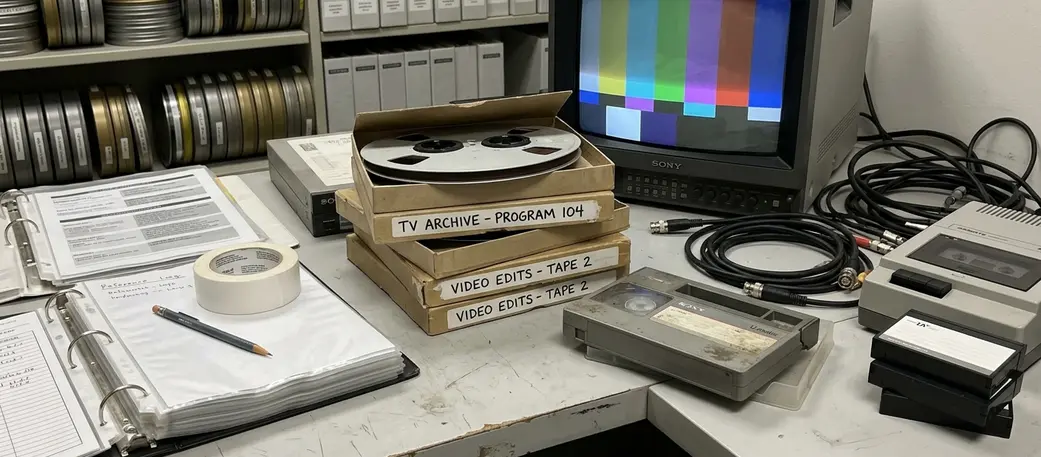
In the one-to-three business days before ingest, check the audio mix format, the color handoff, caption requirements, the VFX pull method, frame size, frame rate, review export format, final master format, and archive expectations. Most turnover disasters trace back to a question that was never asked at this stage.
Build the Library Before You Import
Create events for shoot day, episode, scene block, or module before importing large media sets. Add keyword collections early: Interviews, B-roll, Music, Graphics, Stills, Sync, Selects, Exports. Structure imposed before ingest costs minutes; structure imposed after costs hours.
Test the Whole Path First
Before cutting the full project, run a representative scene of roughly sixty-to-one-hundred-twenty seconds through every stage: one dialogue-heavy audio export, one color or VFX handoff sample, one final delivery export. If a turnover is going to break, let it break on a test clip, not on a locked picture.
Plan Roles and Keep a Log
Assign dialogue, narration, music, effects, ambience, production effects, temp music, guide VO, and final stems deliberately rather than waiting until picture lock. Keep a simple turnover log too — export date, library name, event name, project name, audio Role map, media location, receiving department. The night assistant reproducing your work will thank you.
For feature-by-feature specifics on Roles and library behavior, Apple’s Final Cut Pro User Guide stays current with the terminology this workflow depends on.
Verdict: A Professional Tool When the Workflow Fits
Separate two things and the verdict gets easy: editorial capability and pipeline compatibility. On capability, Final Cut Pro is strong — speed, organization, multicam handling, and Mac-based editorial control all hold up under professional load.
Choose it when the editor or small team controls ingest, organization, cutting, review exports, and most delivery decisions. That is where it earns a clear recommendation.
Use more caution when the job involves separate assistant shifts, outside audio finishing, outside color, VFX pulls, strict caption delivery, or archive rules the editor cannot change. The limitations show up most plainly in large collaborative pipelines and vendor-heavy finishing.
Bottom Line: Choose Final Cut Pro when the editor controls the workflow. Be cautious when the workflow controls the editor. Decide that before the first full media import, not during picture lock when the turnovers are already due.
Final Cut Pro is strongest as a fast editorial system. It is not a universal replacement for every post-production pipeline, and it does not pretend to be.










Your Thoughts
No comments.
Share Your Opinion