
A feature cut in Final Cut Pro 7 comes back a decade later with its blueprints intact while the plumbing, wiring, and street addresses have all changed underneath it. The edit decisions are still there. Almost nothing they point to is.
Quick Nav
- The night the feature came back offline
- Copy first, export evidence second
- Why the XML needs a stripped sequence
- Sorting path failures from identity failures
- The one-frame test at every reel change
- Packaging the remaster so it reopens cleanly
The Night the Feature Came Back Offline
The finishing suite is dark. An editor mounts a decade-old drive, opens a duplicated copy of the archived project, and watches the timeline fill with offline warnings. Filters that once had names now read as unknown. The sequence is an SD-era raster, and the delivery order calls for a 4K master.
The first correct move is to fix nothing at all.
An initial survey of a feature project deserves roughly 45 to 90 minutes before any path, sequence setting, or media assignment is touched. During that window the assistant records the displayed editing timebase, sequence raster, pixel aspect, field order, audio sample rate, starting timecode, and the number of occupied video and audio tracks. Timeline views get captured at the head and tail of every reel, so that a later import can be checked for dropped tracks or shifted sequence boundaries.
What that survey reveals is that this is one job wearing three masks. Editorial decisions — cuts, track layout, timing, are one recovery problem. Source-media identity is a second. Application-bound behavior, the effects and motion settings whose meaning belonged to a specific version of a specific program, is a third. Solve them in the same pass and each failure contaminates the diagnosis of the others.
Copy First, Export Evidence Second
The archive is evidence, and evidence is not a working file. Mount it read-only where the hardware allows, then copy the project and its associated media into a dated recovery workspace. Three locations stay clearly separated: the untouched archive, the recovery workspace, and the folder holding generated exports. Test renders never land inside original camera-media directories.
If the legacy workstation still boots, that machine is a witness with a limited lifespan. Get statements from it before simplifying anything:
- A reference movie with sequence timecode burned into the image, plus at least one identifying line for reel or sequence name, positioned where it will not cover subtitles or lower-third text.
- The richest legacy interchange XML the application can write.
- A cuts-focused EDL as a structural fallback.
- Separate audio references wherever the mix or production tracks can be isolated.
Each export gets opened on its own. Inspect about 10 to 20 seconds at the sequence head, one internal transition, and the tail. A file that exists is not a file that plays.

Alongside the exports, build an inventory: nests, multiclips, freeze frames, generators, retimes, third-party filters, track assignments, reel metadata, and every shot already living as a legacy render. That inventory becomes the checklist the conform is graded against later.
Do Not Touch the Original
Never overwrite the archived project, rename source directories, or consolidate media until both a recoverable copy and a verified reference export exist. The moment the only surviving archive is modified, every later comparison loses its control.
Why the XML Needs a Stripped Sequence
What exactly is being translated? The word "XML" hides a trap. Legacy Final Cut Pro interchange XML and current FCPXML are different schemas that happen to share a family name. Renaming an extension converts nothing; it only produces a file the destination application will reject or misread.
So the conform editor duplicates the locked sequence and treats the duplicate as a translation sequence, leaving the original untouched for comparison. In that duplicate, nests open into explicit tracks. Multiclip selections get committed. Obsolete generators are replaced with labeled placeholders. Composites and speed treatments that cannot survive the trip are exported as high-quality intermediates at the source frame rate and raster, with 12 to 24 frame handles wherever adjacent material exists.
Then comes the sample. A 3 to 8 minute passage containing straight cuts, a dissolve, a retime, a title, and production audio makes a better first test than the whole feature. Compare imported clip order, edit points, track placement, transition duration, speed direction, and sync before committing the rest.
When the sample fails, escalate in order:
- Simplify the duplicate sequence further.
- Export reels separately.
- Recover straight cuts from the EDL.
- Rebuild unsupported effects by eye against the burned-in reference.
One caution belongs here rather than in a footnote: this approach recovers picture timelines into a current finishing system, and effect translation still depends on the exact destination application and installed version. A readable import establishes that structural data survived parsing. It says nothing about whether the conform is editorially faithful.
Test One Reel First
Translate a single reel, or even a single passage, and review it frame-accurately before processing the feature. A bad assumption caught in eight minutes of footage is cheap. The same assumption caught after ninety minutes of relinking is a rebuild.
Sorting Path Failures From Identity Failures
Automatic relinking breaks across a decade for two structurally different reasons, and the fix diverges immediately.
A path failure means the media is intact and the address is wrong: the volume was renamed, the folder tree was reorganized, the archive moved to different hardware. Point the application at the correct root and the clips reconnect.
An identity failure means the application cannot tell which file it is looking at. Duplicate filenames across camera cards, absent reel fields, altered start timecode, mismatched duration, proxy suffixes, codec support that has since been dropped. Here, pointing at a root folder invites a confident wrong match.
The discipline is to relink in bounded media families rather than aiming at an entire archive. Choose one reel, shooting day, camera, or audio batch. When names collide, place only one candidate media group in the search location, reconnect 10 to 25 clips, and review the result before continuing.
Compare source start timecode and duration before inspecting pictures. For ambiguous visual matches, check the first frame, the last frame, and a frame near the midpoint. Camera originals take priority over editorial proxies for the finishing timeline. For dual-system audio, confirm production roll, scene and take metadata, channel count, sample rate, and sync at both ends of a continuous shot rather than at the head alone.
Metadata corrections happen on verified working copies. The sole camera masters stay as they are.
The relink log carries its weight later: media group, old path, new source, matching evidence, unresolved clips, substitutions, and the operator who approved each manual replacement. Where a shot turns out wrong in QC, that log is what makes the error traceable instead of mysterious.
The One-Frame Test at Every Reel Change
Translation delivers a sequence. It does not deliver a 4K finish. The finishing editor builds the delivery sequence from the approved specification rather than scaling the imported SD timeline in place: 3840 by 2160 for UHD delivery, 4096 by 2160 for a DCI 4K container, chosen explicitly and written down.
Editorial timing stays as cut. A 24000/1001, 25, or 30000/1001 timebase does not change simply because the master is now 4K; any rate conversion is a separate approval with its own QC pass.
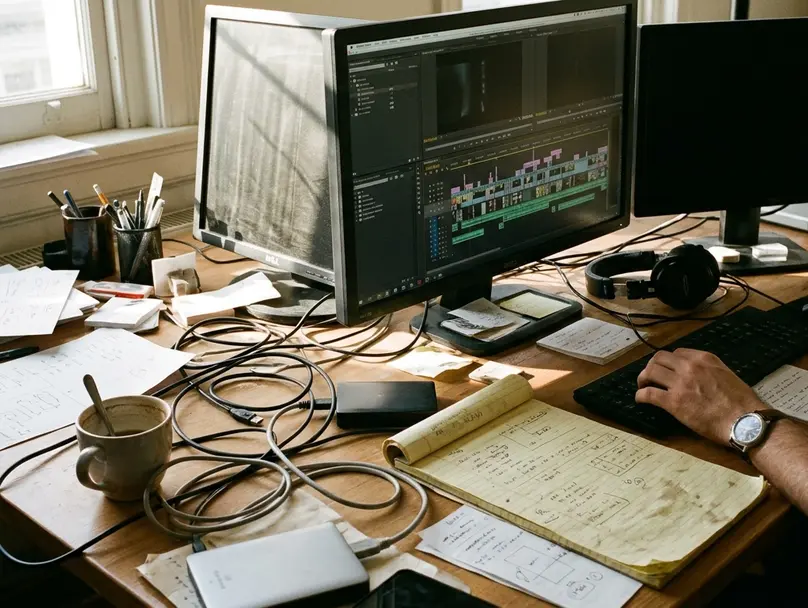
Then the timeline gets read against the reference, event by event. At every reel boundary, compare at least the final two outgoing shots and the first two incoming shots. Inspect one frame before and one frame after every suspicious cut, freeze-frame boundary, retime transition, and dissolve endpoint. This is the test that separates an import that opened from a conform that is true.
SD-origin material carries specific hazards into a square-pixel 4K raster: non-square pixel interpretation, field order, interlace artifacts, and transform values that no longer produce the same crop they once did. A reframe that looked correct in the archived render can drift several percent in the new geometry.
Editorial verification finishes before color judgment begins. For each event, record source identity, source in and out, timeline duration, framing, effect status, audio sync, and any unresolved substitution. Grading a shot that turns out to be the wrong take is expensive theatre.
Packaging the Remaster So It Reopens Cleanly
Approval is not the end of the job. The next person to open this feature may be working in software that does not exist yet, and the whole point of the exercise is to shorten their survey.
The delivered package holds the validated project, the final XML, simplified EDLs, the timecoded reference movie, the media inventory, the relink log, effect notes, the QC record, and clearly identified viewing and mastering files. A plain-text read-me lists application version, operating-system version, sequence raster and timebase, audio sample rate, color-management configuration, plugin dependencies, and export settings.
Every shot retained from a legacy render gets flagged with its timeline location, render filename, the reason it was kept, and whether camera source was simply unavailable. Within one to three working days of final delivery, someone performs a reopen test on a separate workstation or a clean user account. Dependencies hide well on the machine that created them.
Keep Both Copies
The untouched archival project and the validated remaster package both stay. The translated timeline is a new recovery artifact standing beside the original evidence, and it inherits none of that original's authority.
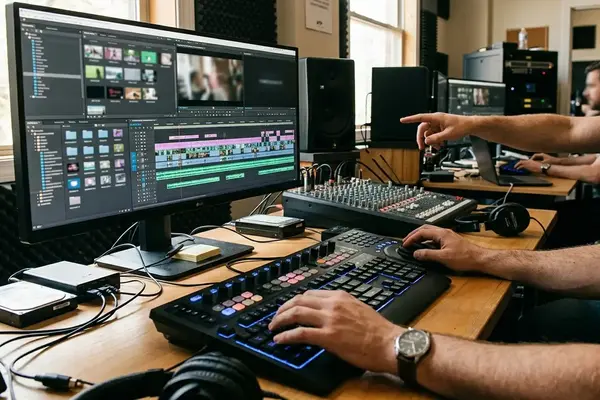
Late in the final review, the room goes quiet at a reel change. The 4K source sits on the program monitor; the burned-in legacy reference runs beside it, timecode ticking in the corner of frame. The editor steps one frame back, one frame forward, and confirms that the incoming shot starts exactly where a Final Cut Pro 7 timeline said it should ten years ago. The assistant labels the drive, writes the date on the read-me, and the archive goes back on the shelf unchanged.







Your Thoughts
No comments.
Share Your Opinion