
When a Finished Copy Still Leaves Editorial Waiting
The assistant editor has finished copying the footage. The next editor opens Media Composer, encounters a media scan, and waits before starting the cut. Transfer completion and editorial readiness have become separate handoff milestones.
That distinction matters when a scan consumes time reserved for editing or interrupts an assistant’s handoff. Record when the transfer ends, then record when scanning finishes. Combining those intervals into one “media preparation” time hides the stage that needs attention.
Managed MXF media lives beneath Avid MediaFiles/MXF/<media-folder>/. Database files within that folder help Avid Media Composer discover and associate the media. Following the affected folder and its database state gives the investigation a concrete starting point.
Keep the symptoms separate. A delay while generating, updating, or reading a media database belongs in the indexing investigation. Dropped playback frames and clips displayed as offline need their own observations. Before adjusting playback settings, establish whether Media Composer is still scanning a managed-media folder.
Follow the MXF Folder to Its Two Database Files
Inside an affected Avid MediaFiles/MXF/<media-folder>/ directory, look alongside the MXF files for msmFMID.pmr and msmMMOB.mdb. The first serves as a media-file index; the second stores media-object database information. Their complementary roles explain why both belong in a folder-level diagnosis.
The operational sequence is straightforward: Media Composer encounters a media location, checks its database state, scans when required, and creates or updates database information. The useful question is what changed before that sequence began.
- Newly populated folder: observe initial database generation.
- Unchanged folder: retain the existing databases and observe reopening.
- Additional media: observe the update after a defined batch arrives.
An unchanged reopening gets its own timing record. Describe it as a rebuild only when an actual rescan occurs.
Keep project bins separate from this process. Bin files, commonly stored as .avb, hold editorial objects and organization. Recover a missing bin through the bin-recovery workflow; regenerating the managed-media databases addresses media indexing.
Time NVMe and NEXIS Under Matching Scan Conditions
Does local NVMe storage make this particular indexing delay shorter than a NEXIS workspace? A useful comparison starts with matching media and database states. Nominal bandwidth alone leaves directory enumeration, file-metadata access, network latency, and competing workspace activity unexplained.
Prepare Matching Media Copies
Use dedicated test folders on both storage locations. Match the MXF contents and folder organization, then verify relative paths, actual MXF file counts, and file sizes before timing. Finish copying first.
Record the Media Composer version and build, operating-system version, NVMe connection, network connection and negotiated link rate, NEXIS client version, workspace permissions, and concurrent ingest or editorial activity. These details let a later comparison distinguish a storage change from an application or workload change.
Keep Three Separate Timing Records
- Initial generation: begin with the database files absent from the dedicated test folder. Start timing at the consistent launch or mount action that exposes it to Media Composer. Stop when visible scanning ends and a predefined interface action, such as opening the same bin, responds normally.
- Unchanged reopening: retain the generated databases, close the application, and reopen without changing the media. Record whether Media Composer reports any scan.
- Controlled addition: close Media Composer and add the same complete MXF batch to each location. Record both clips added and actual MXF files added, then time the update using a consistent trigger and endpoint.
Use three repetitions per location and condition as the declared test design. Restore the specified starting media and database state before each repetition, and alternate storage locations in the run order.
Each result should carry the condition, storage location, media-file count, folder count, cache state, elapsed time, and observations. Label cache state as first observed access, repeated access, or unknown; an application restart alone leaves filesystem cache state unresolved.
Use the result to choose a workflow for the tested workstation, network path, and workspace load; that comparison establishes no universal NVMe-versus-NEXIS ranking.
Measure MXF Files per Folder Before Setting a Folder Policy
Folder population is a more useful planning variable than storage capacity alone. Terabytes describe available space; a media scan also involves directory entries and metadata operations. Count filesystem MXF files rather than bin clips, because separate picture and audio essence can give one editorial clip several media files.
Set an acceptable interruption target with the editorial team, recorded in seconds, before evaluating folder layouts. Then separate two variables: MXF files inside each media folder and the number of sibling media folders.
- Hold the sibling-folder count steady and test progressively larger populations. A proposed series is 250, 500, and 1,000 MXF files in one managed-media folder.
- Compare the same 1,000-file set concentrated in one folder with that set distributed across four folders of 250 files.
- Keep the scan condition consistent. Record individual-folder behavior and total application-ready time.
Those populations define an experiment. Adopt a folder-opening practice when repeated observed scan times cross the team’s interruption target. Keep picture and audio characteristics comparable, and record changes in media type or file-size distribution.
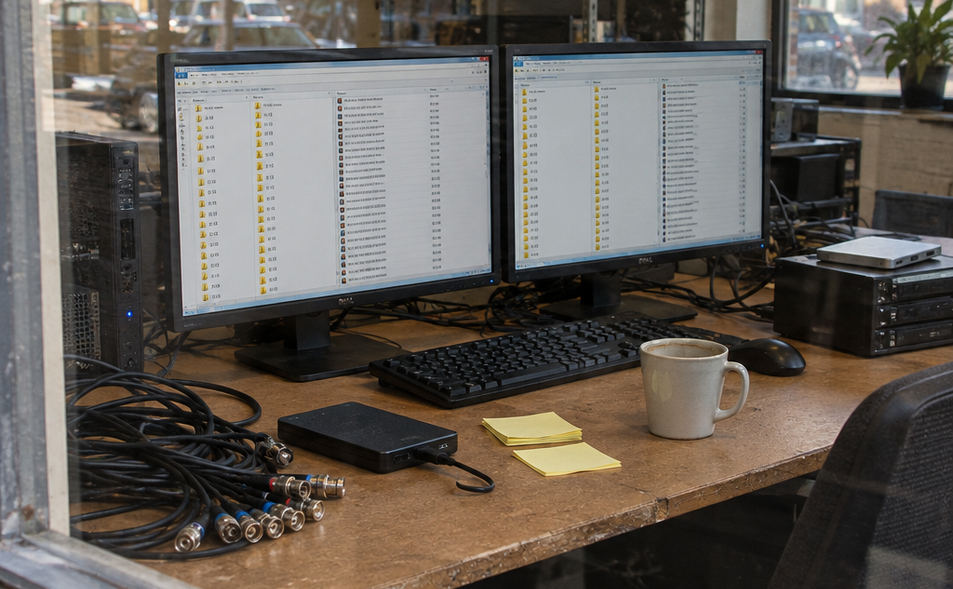
For local managed media, retain the supported numbered-folder arrangement. On NEXIS, preserve the installed workflow’s shared-storage naming and ownership conventions when adding folders.
Rebuild the Affected Index While Preserving MXF Media
A folder appears stalled during scanning. Before removing anything, confirm the expected media path, mounted storage, folder access, available space, and database-write permissions. Each check can change the next action: reconnecting a workspace, locating moved media, or restoring absent files takes priority over rebuilding an index.
A controlled rebuild targets the database files in one affected managed-media folder. Keep the MXF essence in place throughout.
Back Up, Remove, Then Validate
- Close Media Composer and identify the exact local managed-media folder involved.
- Copy its
msmFMID.pmrandmsmMMOB.mdbfiles to a backup location outsideAvid MediaFiles. Record the source folder path and backup time. - Remove only those two original database files from the affected folder. Deleting these database files removes indexing metadata; deleting MXF files removes the underlying picture or sound.
- Reopen Media Composer and allow it to scan. Check that both database files are recreated and the expected media becomes available.
- Play representative picture and audio clips. Include those results in the rebuild record alongside database recreation.
A volume-wide search followed by deleting every .pmr or .mdb file expands the intervention beyond the diagnosed folder. Keep the operation tied to the two exact filenames and the recorded path.
For NEXIS maintenance, establish folder ownership and identify active users before coordinating database changes. Shared-workspace databases require a coordinated maintenance decision.
If scanning stalls again, record the displayed folder or filename and inspect the recent ingest batch. Narrow the next test to that folder rather than repeatedly clearing every media database.
Give the Next Assistant a Usable Scan Record
What should travel with the media handoff? Enough detail to distinguish a first scan from an unchanged reopening and reproduce the relevant condition without restarting the investigation.
- Location: volume or workspace, exact managed-media path, MXF file count, and sibling-folder count.
- Scan: initial generation, unchanged reopening, or controlled addition; elapsed indexing time; cache-state description; concurrent activity.
- Environment: application build and storage-connection details.
- Rebuild: database-backup location, whether both files were recreated, and representative picture and audio playback results.
Rerun the relevant comparison after changing storage connectivity, the Media Composer version, media organization, or shared-workspace workload. Keep the decision order visible: classify the scan, measure the affected folder, adjust organization, and rebuild when the troubleshooting calls for it.
The file-level boundary is precise: msmFMID.pmr and msmMMOB.mdb index the media; the MXF files hold the picture and sound.





Your Thoughts
No comments.
Share Your Opinion