

Three Days Before Network Lock: Protect the Cut First
How can a television editorial team recover corrupted Avid media databases without overwriting its latest cuts?
The supplied case concerns a multi-editor television series, an Avid NEXIS shared-storage volume, database corruption, and three days remaining before network lock. That deadline sets the urgency. It establishes no recovery duration.
Recovery needs to protect three distinct assets: editorial decisions in projects and bins, the underlying picture and audio media, and predictable shared-bin ownership. Each needs its own checks. A successful directory scan cannot recover a missing editorial decision or establish which editor may save a shared bin.
Set two checkpoints before work begins. First, establish a restorable pre-intervention state before changing media indexes. Second, verify media access and bin ownership before returning editors to shared work. These checkpoints give the team concrete stopping points under deadline pressure.
Separate Offline Media, Failed Scans, and Bin Access Problems
A sequence can open while its media remains offline. A readable media directory can coexist with a bin that refuses to open. Unexpected read-only access introduces another question: who currently owns the bin?
These symptoms involve different parts of Avid Media Composer. Project files hold project-level information and settings. Bins contain clips, sequences, and editorial organization. MXF files contain media essence. Media databases index managed media; shared-bin locking coordinates write ownership.
- Offline media: Check whether the required workspace is mounted, then whether the referenced files exist and are readable. An unmounted workspace, an inaccessible file, a missing file, and readable media absent from an index require different responses.
- Failure during scanning: Capture the exact error and directory. Compare that directory across participating workstations, then compare affected and unaffected directories.
- A bin that will not open: Preserve the bin and examine available backups before changing media indexes.
- Unexpected read-only access: Investigate current ownership, shared-project access, and permissions before treating the symptom as database corruption.
Record the last successful operation, recent imports or renders, workspace accessibility, and NEXIS client connection status. The directory where scanning stops is a stronger investigation lead than a general report that clips are offline.
Preserve Current Bins Before Touching Shared Indexes
Which copy contains the intended latest cut? The responsible editors need to answer that before recovery changes anything. The newest filesystem timestamp alone cannot settle the editorial question.
- Coordinate an editorial pause. Identify open bins and active ingest or render jobs. Bring writes to a controlled stop and close participating Media Composer sessions.
- Copy the editorial material. Preserve the project, current bins, and available Avid Attic backups in a separate approved location. Use timestamped recovery folders and retain original filenames. Keep Attic copies separate so matching filenames cannot overwrite current bins.
- Record the environment. Log affected workspaces, exact media-directory paths, file ownership, permissions, Media Composer versions, and NEXIS client versions. Record the time zone used for timestamps.
A project-and-bin backup protects editorial structures. A media backup protects source and generated media. The recovery log should state which has actually been secured.
Make Rollback Readable
Before proceeding, identify the preserved bins containing the latest intended edits, confirm those copies are readable, and document how changed files would be restored. Keep originals intact rather than saving recovery attempts over them.
Rebuild Only the Affected Media Directory’s Indexes
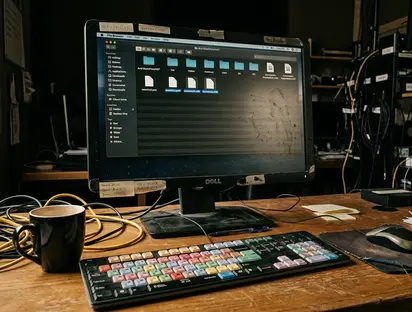
msmFMID.pmr and msmMMOB.mdb are rebuildable indexes in applicable Avid-managed media directories. Sequences live elsewhere, and rebuilding these files cannot replace missing MXF media.
Identify the exact affected directory beneath Avid MediaFiles/MXF. Confirm its shared-storage naming and ownership rules before moving anything. Preserve the NEXIS directory layout; converting it into a generic local-drive numbering scheme introduces another variable.
- Confirm participating Media Composer clients are closed and the preservation checkpoint is complete.
- Move only the identified directory’s
msmFMID.pmrandmsmMMOB.mdbinto a dated holding location outside the scanned media tree. - Leave MXF files, bins, and unrelated directories’ databases untouched.
- Confirm the designated workstation has the required access and directory ownership to write regenerated databases. Open Media Composer there and observe the scan.
If scanning stalls or returns another error, preserve the error text and directory information before making another change. Repeatedly rebuilding the same indexes without recording the result obscures the investigation.
For subset testing, use an approved isolated location outside the production scan path. Preserve original paths and filenames in a manifest and document temporarily displaced media. Reintroducing known-good media incrementally can narrow the failing subset; that alone does not establish which file is damaged. Replace confirmed bad media from a verified source or regenerate it through the appropriate ingest or render workflow.
Prove Bin Ownership Transfers Between Stations
Can the second editor acquire write access after the first editor closes a bin? A clean media scan leaves that question unanswered. Rebuilding media databases does not itself repair bin locking.
Confirm that participating stations use the intended shared project, can access the required workspace, and have appropriate permissions and supported client configurations. Permissions, connectivity, damaged bins, and damaged MXF files can produce overlapping symptoms; rebuild authority and lock-recovery steps must match the installed Media Composer and NEXIS releases.
With relevant bins closed, have the authorized operator investigate apparent stale ownership through the version-appropriate Avid procedure. Verify interface labels and administrative recovery steps against those installed releases. Never delete apparent lock files while another editor may still own the bin.
Run the ownership check with a noncritical test bin:
- Station one opens it with write access; station two verifies the expected locked or read-only state.
- Station one makes a harmless test change, saves, and closes the bin.
- Station two follows the supported close-and-reopen or ownership-refresh procedure and confirms write access.
- Close and reopen the test bin to verify that the saved change persists.
A lock indicator provides one observation. The saved change and successful ownership transfer complete the test.
Validate the Latest Sequences Before Editors Return
A current bin opens and its sequence appears in the monitor. That establishes initial access. Validation still needs to exercise the recovered material.
Have the responsible editor compare recovered bins and sequences with the preserved pre-recovery copies. Compare sequence identity and editorial content, rather than relying on bin names or modification timestamps. Confirm that the intended latest decisions are present.
Open representative current sequences, check for offline clips, and play affected picture and audio sections. Include material implicated in the failed scan. Then perform an approved short export containing the recovered material and relevant picture and audio tracks. Record the sequence and selected range in the recovery log.
Bring workstations back deliberately, observing each for renewed scanning errors, missing media, and unexpected read-only access. Keep displaced databases, quarantined files, and recovery copies until the team approves cleanup.
Work Through a Failed Scan and a Two-Editor Handoff
The following is a hypothetical instructional scenario, not a documented account of the television production. One Avid-managed MXF directory repeatedly fails during scanning after a recent ingest. Two editors need to resume existing sequences. The recent ingest supplies an investigation lead, not an established cause.
- Pause and preserve. Stop both editing stations and associated ingest or render writes. Identify the intended current cuts, close the clients, and copy the project, current bins, and available Attic backups into separate timestamped recovery folders. Confirm readable copies. Record the affected directory, recent ingest filenames, permissions, and client versions.
- Run one controlled rebuild. Confirm the directory’s shared-storage naming and ownership rules. Move only its
msmFMID.pmrandmsmMMOB.mdboutside the scanned tree into the dated holding location. Leave media untouched. Rescan from the designated authorized workstation. - Investigate the repeated failure. In this scenario, scanning fails again. Preserve the exact error. Close the relevant client before moving media, record original paths in a manifest, and isolate the recent ingest files in the approved recovery location. Test controlled subsets outside the production scan path, retaining the originals.
- Replace confirmed bad media. After a media file is confirmed bad, regenerate it through the appropriate ingest workflow from verified source material. Verify the replacement against the intended source and sequence usage. Rebuild the affected indexes under the same controlled conditions and check the replacement clip in the latest intended sequence.
- Test both editors’ access. Use a noncritical bin. The first station acquires write access; the second verifies read-only behavior. The first saves a harmless change and closes the bin. The second follows the supported ownership-refresh procedure, acquires write access, and confirms the saved change survives reopening.
- Exercise the recovered cut. Compare the intended sequence with its preserved copy, play affected picture and audio, and complete an approved short export containing the replacement media. Log the sequence and export range. Reintroduce shared editing station by station, retaining rollback copies and quarantined originals until cleanup receives approval.









Your Thoughts
No comments.
Share Your Opinion