
Day 1: Departure — Log for the Edit That Happens Tomorrow
“What must a script supervisor record today so an assistant editor can find and trust the right take tomorrow?”
That question places the script supervisor log where it belongs: inside the editorial handoff. The document connects events on set with ingest, synchronization, media organization, and the first decisions made in the edit bay. Each entry should bridge four records: the slate visible in the image, the camera media identification, the sound recorder’s file or roll reference, and the script supervisor’s editorial observation.
A missing camera letter can detach a note from the correct card report. A missing sound-roll reference may leave an assistant editor comparing several similarly numbered WAV files. Even a circled take becomes ambiguous when the log does not say whether the mark reflects a preferred performance or technical approval.
Illustrative Voyage
The examples below follow a fictional coastal-documentary exercise aboard a working vessel near 34°00.0′ N, 118°30.0′ W. The sky is overcast, and the wind shifts during the setup. These coordinates and conditions are sample production metadata, not an actual voyage record.
The maritime setting exposes several logging problems at once. Wind can affect sound, a vessel turn can alter the background, and changing cloud cover can complicate continuity. A useful log keeps those effects attached to identifiable takes rather than allowing them to drift into a general account of the day.
Day 2: Crosscurrents — Where Production Logs Lose the Edit
Scene 18B, Setup 18B-2, Take 3 appears twice after a false start. Camera A and Camera B write to different cards, yet the second attempt receives no show-approved distinction such as 3FS or 3A. Which clip does the note describe?
Editorial cannot answer safely from the take number alone. The collision becomes worse when camera letters are inconsistent, card identities are omitted, or the circled mark carries no explanation. A camera designation and a card designation also serve different purposes: “B camera” identifies the source camera, while “B007” may identify media under the production’s naming scheme.
Attach Every Note to Media
The practical test is simple: can someone who never saw the setup attach the observation to one piece of media and understand its consequence?
- Inconsistent scene labels can route clips into the wrong editorial bin.
- Duplicate take numbers obscure false starts, restarts, and pickups.
- Missing setup identifiers collapse distinct camera positions into one record.
- Unclear camera letters weaken the link between notes and camera reports.
- Unexplained preferred marks leave performance and technical approval indistinguishable.
- Unmatched notes force production to answer questions after the crew has moved on.
These gaps produce uncertain clip names, slower sound matching, misplaced pickups, and avoidable calls back to set.
Name the Observable Fault
“Soft focus after the pan” identifies a fault and its timing. “Bad take” does neither. The same principle separates the vessel takes: “T1 cut at first line—harbor horn,” “T2 complete, wind hits boom during second line,” and “T3 completed after vessel changed heading, shoreline and cloud level differ.”
Protect the Distinction
A preferred performance may remain useful when a camera bump occurs after the final spoken line. Labeling the whole take “bad” hides usable dialogue and performance material.
Day 3: Charting the Record — Build a Format Editors Can Scan
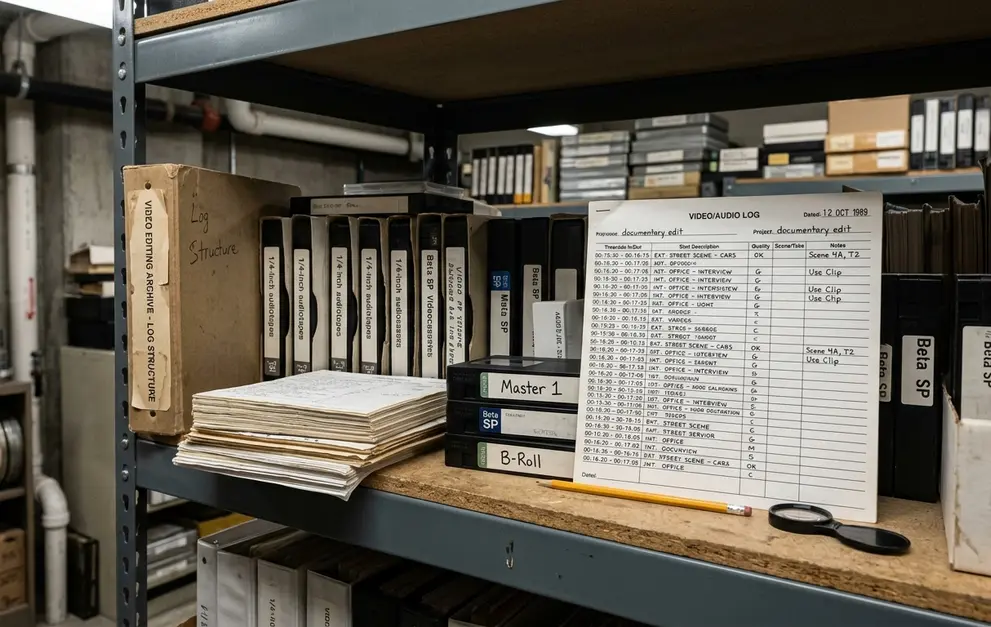
A durable form works at three reading depths. The daily header establishes context once, structured rows support rapid scanning during ingest, and a bounded notes area holds continuity details or exceptions that do not fit cleanly within a row.
Daily Header
Record the production title, shoot date in an unambiguous format such as 2026-08-05, production day, unit, location, script supervisor, applicable script revision, camera rolls or cards, sound roll, and environmental conditions that affected the work.
Repeat the header and column labels on every page. Number each page as part of the daily set so a detached sheet retains its identity.
One Row per Take
Each row should contain scene, setup, slate, take, camera ID, media roll or card, sound reference, synchronization status, relevant lens or frame-rate information, preferred status, result, and a concise note tied to an action or moment.
Those fields correspond directly to editorial tasks. Scene and setup route the clip; slate and take verify the board; camera ID and card locate picture; sound reference locates production audio; sync status warns of unreliable synchronization aids. Lens and frame rate identify visual or playback exceptions, while result and notes explain incomplete action, technical faults, and continuity changes.
Bounded Exceptions
Reserve two or three written lines for exceptions. Use explicit values such as blank, N/A, MOS, or unknown instead of an undefined dash. A compact field encourages precise timing; an oversized notes box tends to invite a diary entry.
The take log answers which media exists and what happened during each recording. The lined script serves a different purpose by showing where dialogue and action were covered, including overlaps, partial lines, and camera coverage across the page. Both documents should agree without duplicating each other.
Day 4: On Watch — Record Each Take While It Happens
What order prevents omissions while the set is moving quickly? The order of events themselves provides the most reliable answer.
- Establish the scene and setup before rolling.
- Confirm the spoken and visible slate.
- Identify every active camera and its media card or roll.
- Enter the take number.
- Record the synchronization condition.
- Observe the outcome and capture exceptions immediately.
A compact live entry might read: “Scene 24C; Setup 24C-3; Slate 24C; Take 2; Cameras A and B; A card A014; B card B011; sound roll SR006; sync by sticks; A on 50 mm; B on 85 mm; completed; B loses actor behind cabin post during final line.”
Keep Camera Records Separate
Multiple cameras may share a scene, setup, slate, and take number while recording different evidence. Their cards, lenses, framing, and outcomes can diverge. Camera A might complete a clean medium shot as Camera B loses the actor behind a foreground object. Collapsing both into one undifferentiated result makes the row faster to write and slower to use.
Sound states deserve the same precision. Distinguish synchronized production sound, MOS, wild line, room tone, playback, camera-only recording, missing clap, late clap, unreadable slate, and timecode disagreement.
Record Confirmed Settings
Lens, off-speed frame rate, shutter alteration, filter change, white-balance change, proxy exception, or a recording-format departure can affect post-production interpretation and processing. The script supervisor should enter settings supplied or confirmed by camera personnel rather than infer them by sight.
Controlled outcomes such as complete, false start, cut short, reset, pickup, insert, camera-only, and preferred carry more information than “good.” The result should identify what occurred; the note should explain the relevant exception.
Day 5: Weather Shift — Log Continuity and Exceptions Precisely
Continuity becomes easier to scan when observations are separated by what must match: performance and dialogue, blocking and eyelines, props, wardrobe, hair and makeup, set state, lighting, weather, vessel position, and background action.
For the illustrative voyage, concise notes carry enough detail: “Cloud cover increased after Take 2.” “Cup moved to actor’s left hand for pickup.” “Vessel turned during final line—shoreline shifts behind actor.” Each note names a change and places it within the recorded action.
When Environmental Data Belongs
Coordinates, vessel heading, tide state, cloud cover, and wind direction belong in the log when they affect background alignment, exposure continuity, sound quality, a stoppage, or the feasibility of matching footage on a later day. Recording every available condition would bury the editorial consequence.
“Wind direction unconfirmed; boom noise begins on second line” preserves both the uncertainty and the audible event. Wind striking the boom, a harbor horn, vessel movement, and changing cloud cover remain separate sound, interruption, framing, and continuity exceptions even when they occur during one setup.
Identify Partial Coverage
- Enter a pickup by its starting point: “Pickup from ‘clear the stern’ through exit.”
- For partial dialogue coverage, specify the covered line range or action.
- For a wild track, identify the speaker and text range.
- For a process plate or insert, name the intended scene association.
- For material without a conventional slate, record the verbal ID, camera file reference, or supplied timecode actually used.
Inventing a slate number after the fact creates false certainty. An explicit substitute identifier gives editorial a real path back to the media.
Day 6: Making Port — Reconcile, Check, and Deliver the Daily Log
The final pass should follow a fixed order: scan scene and take progression, compare camera-card references, compare sound rolls or files, verify preferred marks, resolve duplicate identifiers, and isolate unresolved conflicts.
The Five-Minute Handoff Pass
- Minute 1: Check scene, setup, slate, and take identifiers.
- Minute 2: Reconcile camera cards and sound references.
- Minute 3: Confirm preferred takes and their stated reasons.
- Minute 4: Review exceptions and unresolved conflicts.
- Minute 5: Check page count, orientation, and missing attachments.
Camera and sound reports should inform corrections without erasing the discrepancy that prompted them. An unresolved item can read: “Scene 24C, Setup 3, Take 2, Camera B—log says B010; camera report says B011; awaiting confirmation.” Once corrected, preserve the revision and state the final interpretation.
Production terminology, required fields, approval authority, naming rules, delivery routes, access controls, retention, and correction practices differ. The current show workflow should therefore be confirmed before the first setup and applied consistently at handoff.
Package the Day Predictably
The delivery should contain the completed take log, lined script pages, facing-page continuity notes where used, and a short list of unresolved issues. Every document should identify the shoot date and unit, particularly when main and additional units cover similarly numbered scenes on the same day.
A filename such as PRODUCTION_2026-08-05_UNIT-A_SCRIPT-LOG.pdf exposes the essential context before the file opens. A corrected replacement can add REV-01 rather than silently overwriting the delivered version.
Check digital pages at normal viewing size for legible text, intact margins, correct rotation, and continuous order. Paper pages should be photographed or scanned square to the sheet so row endings and handwritten margin notes remain visible.
Day 7: Edit-Bay Arrival — Test the Log Against a Real Take
One fictional row provides the final test:
Scene 24C | Setup 24C-3 | Slate 24C | Take 3 | Camera A | Card A014 | Sound SR006 | 50 mm | 23.976 fps | Preferred—complete performance | Sync: sticks | Exception: camera bump in final 4 seconds after last spoken line.
An assistant editor can route the clip to Scene 24C, distinguish the third setup from other coverage, and locate Camera A picture on card A014. SR006 supplies the production-sound search target. The visible board can then be checked against Take 3, while the sync field establishes that sticks should provide the primary reference.
The preference has a stated basis: complete performance. The exception also has a boundary. The spoken material may remain intact even though the final four seconds of picture contain a camera disturbance.
Deliver a Dependable Chart
The voyage reaches the edit bay when each observation points to identifiable picture, sound, and action. Format every daily log as that dependable chart; never hand editorial a pile of disconnected comments and ask them to navigate by guesswork.






Your Thoughts
No comments.
Share Your Opinion